
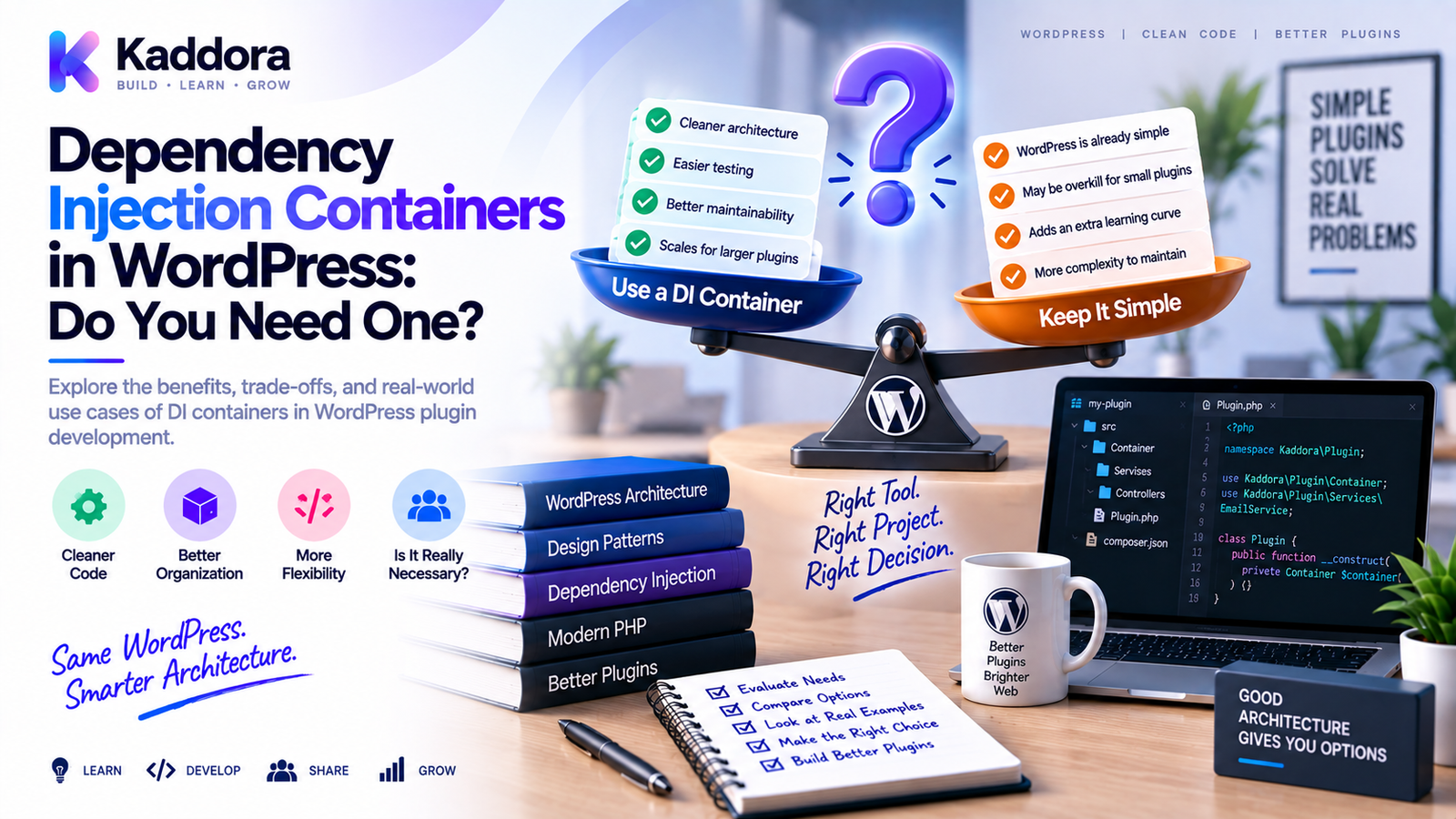
Dependency Injection Containers in WordPress: Do You Need One?
Introduction
Dependency Injection (DI) can make WordPress plugins easier to test, maintain, and extend.
Instead of creating dependencies directly inside classes, objects can receive the services they need from outside:
final class OrderService { public function __construct( private OrderRepositoryInterface $repository, private PaymentGatewayInterface $gateway ) { } }
This is straightforward when a plugin has only a few services.
But what happens when the plugin contains:
30 services
15 repositories
Multiple API clients
Several interfaces
Different implementations
Shared loggers
Cache systems
Configuration objects
WooCommerce integrations
Background jobs
REST controllers
Admin modules
The dependency graph can become difficult to wire manually.
This is where a Dependency Injection Container can help.
A DI container is a component that knows how to construct and resolve application dependencies.
A simplified architecture looks like:
Service ↓ Container ↓ Dependencies ├── Repository ├── Logger ├── API Client └── Configuration
But a container isn't automatically better.
For a small WordPress plugin, it can introduce unnecessary complexity.
For a large application, it can dramatically simplify object composition.
The real question is not:
"Should every WordPress plugin use a dependency injection container?"
The better question is:
"Has dependency wiring become complex enough that a container makes the system easier to understand?"
This guide explains how DI containers work, how to build one for WordPress, when to use one, when to avoid one, how to wire interfaces, how containers affect testing, and how to choose between manual dependency injection and container-based architecture.
What Is a Dependency Injection Container?
A dependency injection container is an object registry and construction mechanism that resolves dependencies for application components.
Suppose:
OrderService ↓ OrderRepository ↓ Database
A container can know how to create OrderRepository and then provide it to OrderService.
With more dependencies:
OrderService ├── OrderRepository ├── PaymentGateway ├── Logger └── NotificationService
The container can coordinate construction of the entire dependency graph.
What Problem Does a Container Solve?
Without a container, manual wiring might look like:
$repository = new OrderRepository(); $gateway = new StripeGateway($config); $logger = new WordPressLogger(); $notification = new EmailNotification($logger); $orderService = new OrderService( $repository, $gateway, $notification );
This is completely valid.
As the application grows, however, the composition code can become large:
Plugin Bootstrap ├── Create Config ├── Create Logger ├── Create Cache ├── Create HTTP Client ├── Create API Clients ├── Create Repositories ├── Create Services ├── Create Controllers ├── Create Jobs └── Register Everything
A container moves much of this wiring into a centralized configuration mechanism.
Manual Dependency Injection vs Container
Both approaches can be excellent.
Manual Dependency Injection
Bootstrap ↓ new Repository() ↓ new Service(repository)
Container-Based Dependency Injection
Bootstrap ↓ Container ↓ Resolve Service ↓ Container Builds Dependencies
Manual DI is usually:
Simpler
More explicit
Easier to debug
A container can be:
More scalable
More centralized
More convenient for large dependency graphs
The decision depends on the application's complexity.
Do Small WordPress Plugins Need a Container?
Usually not.
Suppose a plugin has:
ProductService ProductRepository SettingsService
Manual wiring may be perfectly clear:
$repository = new ProductRepository(); $productService = new ProductService( $repository );
Introducing a container may make the plugin harder to understand rather than easier.
A good rule is:
Don't introduce infrastructure to solve a problem you don't actually have.
When Should You Consider a DI Container?
A container becomes more attractive when:
The dependency graph is large
Many services share dependencies
Multiple implementations exist
Construction logic is repetitive
Modules need independent composition
Configuration affects implementations
Manual wiring becomes difficult to maintain
The team needs a standard resolution mechanism
For example:
20+ Services 15+ Repositories 10+ Integrations ↓ Manual Wiring Becomes Complex ↓ Container May Add Value
When Should You Avoid a Container?
Avoid introducing one when:
The plugin is small
Most dependencies are simple
Object creation is already obvious
The dependency graph changes rarely
The container would be larger than the application logic
Developers need to learn the container before understanding the plugin
A container should reduce complexity.
If it creates more complexity, don't use it.
Dependency Injection Container vs Service Locator
These concepts are often confused.
Dependency Injection
A class receives dependencies:
public function __construct( private LoggerInterface $logger ) { }
Service Locator
A class retrieves its own dependencies:
$logger = $container->get( LoggerInterface::class );
The second approach hides dependencies.
A container should therefore generally be used to construct and wire objects, not become a global registry every class accesses directly.
The Composition Root
A DI container should usually be controlled from a composition root.
In a WordPress plugin, this might be:
plugin.php ↓ Bootstrap ↓ Container Configuration ↓ Application Initialization
Application classes shouldn't normally call the container directly.
Instead:
Container ↓ Build Service ↓ Inject Dependencies ↓ Service Runs
A Simple WordPress Container
A minimal container can use factories:
final class Container { private array $bindings = []; public function set( string $id, callable $factory ): void { $this->bindings[$id] = $factory; } public function get(string $id): mixed { if (! isset($this->bindings[$id])) { throw new \RuntimeException( "Service not configured: {$id}" ); } return ($this->bindings[$id])($this); } }
This simple implementation demonstrates the concept.
A production container may provide much more functionality.
Registering a Service
Suppose:
final class ProductRepository { }
and:
final class ProductService { public function __construct( private ProductRepository $repository ) { } }
Register them:
$container->set( ProductRepository::class, fn() => new ProductRepository() ); $container->set( ProductService::class, fn(Container $container) => new ProductService( $container->get(ProductRepository::class) ) );
Then:
$productService = $container->get( ProductService::class );
The container resolves the dependency.
Binding Interfaces to Implementations
This is where containers become particularly useful.
Suppose:
interface LoggerInterface { public function info(string $message): void; }
and:
final class WordPressLogger implements LoggerInterface { public function info(string $message): void { // Logging implementation. } }
Bind the interface:
$container->set( LoggerInterface::class, fn() => new WordPressLogger() );
Now services can depend on:
LoggerInterface
instead of the concrete logger.
Interface-Based Dependency Resolution
The dependency graph becomes:
OrderService ↓ LoggerInterface ↓ WordPressLogger
A test can instead bind:
LoggerInterface ↓ FakeLogger
This makes substitution easier.
Singleton or Shared Services
Containers often distinguish between a new object every time and a shared instance.
For example:
Container ├── Factory → new instance └── Singleton → shared instance
A logger, configuration object, or HTTP client may be appropriate as a shared service depending on its design.
A repository might be shared or created per resolution depending on architecture.
Don't automatically make every service a singleton.
Why Singleton Scope Requires Care
Shared mutable objects can introduce hidden state.
For example:
Shared Service ↓ Request A modifies state ↓ Request B sees modified state
Within normal PHP request lifecycles, the object generally lives for that request unless persistent workers or long-running processes are involved.
Still, application components should avoid unnecessary mutable state.
Container Lifetimes
A more advanced container might support:
Transient
Shared
Scoped
Factory
Lazy
For typical WordPress request lifecycles, you usually don't need an elaborate lifetime system.
Keep the container model understandable.
Lazy Resolution
A container can defer constructing an object until it is requested.
For example:
Container Starts ↓ No API Client Created ↓ Feature Requests API Client ↓ Container Builds It
This can reduce unnecessary initialization.
However, don't over-optimize object construction before profiling.
Container and Configuration
Configuration can influence which implementation gets bound.
For example:
$provider = \get_option( 'myplugin_ai_provider', 'default' );
Then:
Provider Setting ↓ Container Binding ↓ AIProviderInterface ↓ Selected Implementation
This can be useful in plugins supporting multiple providers.
Container and AI Providers
Consider:
AIService ↓ AIProviderInterface ↓ ┌─────────┬──────────┬─────────┐ ↓ ↓ ↓ Provider A Provider B Test
The container can select the implementation.
This is a strong use case because the dependency varies without changing AIService.
Container and Payment Gateways
Payment systems follow the same pattern:
PaymentService ↓ PaymentGatewayInterface ↓ ┌─────────┬─────────┬────────┐ ↓ ↓ ↓ Provider A Provider B Sandbox
Configuration determines the production implementation.
Container and Cache Implementations
A plugin could bind:
CacheInterface ↓ ObjectCache
or:
CacheInterface ↓ RedisCache
The service remains unaware of the concrete caching mechanism.
Container and Repositories
A service might require:
ProductRepositoryInterface
The container maps:
ProductRepositoryInterface ↓ WordPressProductRepository
The same interface can be replaced in tests.
Container and REST Controllers
REST controllers can be resolved from the container:
Container ↓ ProductController ↓ ProductService ↓ ProductRepository
The REST registration layer still belongs to WordPress.
The container only manages object construction.
Container and WordPress Hooks
A hook registration class can be resolved:
$hooks = $container->get( ProductHooks::class ); $hooks->register();
The hook object might already have its required services injected.
Container and WP-Cron
Similarly:
Container ↓ SyncProductsJob ↓ ProductSyncService ↓ API Client
The container builds the job with its dependencies.
Container and WP-CLI
WP-CLI commands can reuse the same application services:
WP-CLI ↓ Command ↓ Service ↓ Repository / API
This reduces duplicate initialization logic.
Container and Admin Pages
For admin screens:
Admin Page ↓ Controller ↓ SettingsService ↓ SettingsRepository
The container can construct the controller and its dependencies.
Building a Container Around WordPress APIs
Not every WordPress API should become a container binding.
For example:
\get_option() \update_option() \add_action() \wp_remote_get()
are already global procedural APIs.
Don't create dozens of trivial wrappers only to make them injectable.
Use abstraction for components where substitution, testing, configuration, or architecture actually benefits.
Container and $wpdb
Similarly, don't necessarily inject $wpdb into every service.
A cleaner architecture is:
Service ↓ Repository ↓ $wpdb
The repository can remain the database boundary.
If your architecture benefits from injecting a database abstraction, that can also be done.
Container and Third-Party Dependencies
Composer dependencies can have their own classes and namespaces.
Your container can bind them where needed:
Application ↓ Container ↓ Vendor Library
Don't manually rewrite third-party namespaces simply to fit your container.
Use Composer's package management and autoloading mechanisms appropriately.
Container and Composer
A mature WordPress plugin can use:
Composer ├── Autoloading └── Dependency Management DI Container └── Application Object Construction
These tools solve different problems.
Composer answers:
Where is the class?
The container answers:
How should this application object be constructed?
Container and PSR-4
PSR-4 maps:
Namespace ↓ Directory ↓ PHP Class
The container then resolves:
Class ↓ Constructor Dependencies ↓ Object Graph
Keeping these responsibilities separate leads to cleaner architecture.
Auto-Wiring
Advanced containers can inspect constructor type hints and automatically resolve dependencies.
For example:
final class ProductService { public function __construct( ProductRepositoryInterface $repository, LoggerInterface $logger ) { } }
The container may determine:
ProductRepositoryInterface ↓ ProductRepository LoggerInterface ↓ WordPressLogger
Then instantiate ProductService automatically.
Auto-wiring can reduce configuration.
But explicit configuration may be easier to understand in complex WordPress plugins.
Auto-Wiring Trade-Offs
Auto-wiring can be convenient.
It can also make dependencies less visible from the container configuration.
Potential issues include:
Difficult-to-diagnose resolution errors
Complex constructor graphs
Unexpected implementation selection
Primitive configuration values requiring manual bindings
Use auto-wiring when it genuinely simplifies the codebase.
A More Advanced Container Example
A container can support shared instances:
final class Container { private array $factories = []; private array $instances = []; public function set( string $id, callable $factory ): void { $this->factories[$id] = $factory; } public function singleton( string $id, callable $factory ): void { $this->factories[$id] = function ( Container $container ) use ($id, $factory) { if (! isset($this->instances[$id])) { $this->instances[$id] = $factory($container); } return $this->instances[$id]; }; } public function get(string $id): mixed { if (! isset($this->factories[$id])) { throw new \RuntimeException( "Service not configured: {$id}" ); } return ($this->factories[$id])($this); } }
This is still intentionally simple.
Production containers often provide richer lifecycle and resolution capabilities.
Don't Build a Container Too Early
One of the most common architecture mistakes is starting a plugin with:
Container Event Bus Repository Layer Factory Layer Service Provider Layer Plugin Manager Module Manager
before the actual application requirements are understood.
This creates architecture before evidence.
Start with simple dependency injection.
Introduce a container once the dependency graph demonstrates the need.
The "Three Services" Rule
A useful practical heuristic is to begin manually.
Suppose you have:
ProductService OrderService CustomerService
with straightforward dependencies.
Manual wiring is fine.
When you reach a point where:
Many Services + Many Implementations + Repeated Wiring + Shared Infrastructure
a container becomes more attractive.
There is no universal numeric threshold.
Container Complexity Is a Real Cost
A container introduces:
Configuration
Resolution rules
Debugging concepts
Lifecycle decisions
More abstraction
The container itself must be:
Tested
Documented
Maintained
Understood by developers
The benefit should outweigh this cost.
Debugging DI Container Failures
Common errors include:
Service not configured Cannot resolve dependency Circular dependency Missing binding Invalid constructor
A useful debugging flow is:
Resolution Error ↓ Find Requested Class ↓ Inspect Constructor ↓ Check Interface Binding ↓ Check Nested Dependency ↓ Check Configuration
Don't assume the class named in the error is always the true root cause.
A nested dependency may be missing.
Circular Dependencies
A circular dependency occurs when:
Service A ↓ Service B ↓ Service A
A container may fail to resolve this graph.
Circular dependencies often indicate architectural problems.
Instead of making the container more clever, reconsider the dependency direction.
How to Break Circular Dependencies
Suppose:
OrderService → NotificationService NotificationService → OrderService
This may indicate excessive coupling.
Possible solutions:
Extract an interface
Introduce an event
Create a smaller shared service
Move coordination to a higher-level service
For example:
OrderService ↓ OrderCompleted Event ↓ NotificationListener
WordPress hooks can be useful for such event boundaries.
Container and Events
A service container can construct event listeners:
Container ↓ OrderCompletedListener ↓ NotificationService
Then WordPress hooks connect the listener to events.
The container handles object construction.
WordPress handles event delivery.
Container and Modular Plugins
Large plugins can define modules:
Analytics Commerce Automation Reporting Integrations
Each module can register its bindings.
For example:
Commerce Module ↓ Repositories Services Gateways Analytics Module ↓ Repositories Services Reports
The main container combines them.
This can scale better than one huge bootstrap function.
Module Registration
A module could expose:
interface ModuleInterface { public function register( Container $container ): void; }
Then:
final class CommerceModule implements ModuleInterface { public function register( Container $container ): void { // Register commerce services. } }
The plugin bootstrap can load modules.
Should WordPress Plugins Use Service Providers?
Service providers can group container registrations.
For example:
CommerceServiceProvider AnalyticsServiceProvider AIServiceProvider
Each provider configures one functional area.
This can be useful for a large plugin.
It is unnecessary for a small one.
Container and Backward Compatibility
Introducing DI doesn't mean existing public classes should suddenly become container-dependent.
Public APIs may be used by:
Other plugins
Themes
Developers
Custom integrations
Keep the container internal whenever possible.
The public API should not require users to understand your internal dependency system.
Container and WordPress Plugin Lifecycle
A clean lifecycle might be:
Plugin Bootstrap ↓ Load Composer ↓ Create Container ↓ Register Bindings ↓ Resolve Plugin ↓ Register Hooks ↓ WordPress Runtime
Activation and deactivation logic can remain separate.
Container and Multisite
For multisite plugins, configuration may vary by site or network.
The container should not accidentally freeze site-specific configuration during a lifecycle where the context can change.
For most standard WordPress requests, initialization is scoped to the current request.
For more complex multisite logic, make site and network context explicit in services.
Container and Long-Running Processes
Traditional WordPress requests are usually short-lived.
Background workers, CLI processes, or long-running jobs are different.
In long-running processes:
Request 1 ↓ Request 2 ↓ Request 3
shared objects can accidentally retain state.
When using containers in long-lived workers, lifecycle and state management become much more important.
Container and Security
A container is not a security boundary.
It does not automatically protect:
API credentials
Database data
Admin operations
REST endpoints
User permissions
Security still requires:
Authentication
Authorization
Capability checks
Input validation
Nonce protection
Output escaping
Secure secret storage
Container and Performance
A container doesn't automatically make a plugin faster.
It can improve startup organization and reduce duplicated construction work when services are shared appropriately.
But performance depends on:
Database queries
External requests
Caching
Hook execution
Object creation
Plugin architecture
Use profiling rather than assuming DI architecture will produce speed improvements.
Container and Testing
One of the biggest benefits is centralized test configuration.
A test environment can bind:
Real PaymentGateway ↓ Fake PaymentGateway
and:
Real Repository ↓ InMemory Repository
This allows services to operate with controlled dependencies.
Testing the Container Itself
Don't only test services.
Also test critical container behavior:
Binding resolution
Interface mapping
Singleton behavior
Missing binding errors
Nested dependencies
Configuration-based bindings
A container is infrastructure.
Infrastructure should have tests.
Container and PHPStan
Strong type declarations help a container architecture remain understandable.
For example:
public function __construct( PaymentGatewayInterface $gateway ) { }
Static analysis can verify that implementations satisfy the interface.
PHPStan may also catch incorrect constructor arguments in explicit wiring.
Highly dynamic container magic can make static analysis harder.
This is another reason to avoid excessive magic.
Container and PHPUnit
Unit tests can bypass the production container entirely.
For example:
$service = new ProductService( $fakeRepository, $fakeLogger );
This is often better than making every test resolve objects through the container.
Use the container when testing container configuration itself or higher-level integration behavior.
Container and CI
A mature pipeline can validate:
composer validate ↓ composer dump-autoload -o ↓ PHPStan ↓ PHPCS ↓ PHPUnit ↓ Integration Tests
Container configuration errors should be detected before release.
Common DI Container Mistakes
Using the Container Everywhere
Classes become service locators.
Hiding Dependencies
Developers can't see what a class actually needs.
Making Everything a Singleton
Shared mutable state becomes difficult to reason about.
Overusing Auto-Wiring
Magic can make failures harder to diagnose.
Building a Huge Container
The bootstrap becomes another framework.
Registering Every WordPress Function
Unnecessary abstraction adds complexity.
Ignoring Circular Dependencies
Architecture becomes tightly coupled.
No Container Tests
Infrastructure failures appear late.
No Documentation
Developers don't know where bindings come from.
Manual DI vs Container Comparison
Factor
Manual Dependency Injection
DI Container
Simplicity
Excellent
Moderate
Transparency
Excellent
Good
Small Plugins
Excellent
Usually unnecessary
Large Dependency Graph
Can become repetitive
Strong
Multiple Implementations
More manual wiring
Convenient
Debugging
Often straightforward
Can be more complex
Testing
Excellent
Excellent
Configuration
Explicit
Centralized
Learning Curve
Low
Higher
Architecture Overhead
Low
Higher
The best option is the one that reduces total complexity.
A Practical Decision Framework
Ask these questions:
1. How many meaningful dependencies exist?
If only a few exist, manual wiring is probably enough.
2. Are dependencies repeated?
If many classes share the same infrastructure, a container may help.
3. Are multiple implementations required?
Interfaces plus container bindings can simplify this.
4. Is object construction complicated?
If construction logic is becoming repetitive, a container may help.
5. Does the team understand the container?
A technically advanced system is not useful if the team cannot maintain it.
6. Will the container reduce or increase complexity?
This is the most important question.
Example: Manual Wiring for a Small Plugin
$logger = new WordPressLogger(); $repository = new ProductRepository( $logger ); $productService = new ProductService( $repository, $logger );
Clear and explicit.
No container is necessary.
Example: Container for a Large Plugin
Container │ ├── LoggerInterface → WordPressLogger ├── CacheInterface → ObjectCache ├── HttpClientInterface → WordPressHttpClient ├── ProductRepositoryInterface → ProductRepository ├── OrderRepositoryInterface → OrderRepository ├── AIProviderInterface → ConfiguredProvider ├── PaymentGatewayInterface → ConfiguredGateway ├── ProductService ├── OrderService ├── AIService └── ReportingService
Here, centralized resolution can provide significant value.
Recommended Architecture
A practical large-plugin architecture is:
WordPress │ ┌───────────────┼───────────────┐ ↓ ↓ ↓ REST Admin Hooks │ │ │ └───────────────┼───────────────┘ ↓ Application Services ↓ Interfaces ┌──────┴──────┐ ↓ ↓ Repositories Integrations ↓ ↓ Database External APIs ↑ │ DI Container │ Composition Root
The container should remain primarily an infrastructure concern.
Recommended Container Rules
Rule 1: Keep dependencies explicit.
A class should declare what it needs.
Rule 2: Keep container access out of domain/application classes.
Use injection instead.
Rule 3: Keep bindings centralized.
Developers should know where implementations are configured.
Rule 4: Prefer interfaces where implementations vary.
Don't create interfaces for every class automatically.
Rule 5: Avoid excessive magic.
Explicit configuration is often easier to debug.
Rule 6: Keep lifecycle simple.
Use only the scopes you actually need.
Rule 7: Test the container.
Critical bindings should be covered.
Rule 8: Keep WordPress concerns at the boundary.
Don't abstract every global function without a reason.
Step-by-Step: Introducing a Container Into an Existing Plugin
Step 1: Start With Constructor Injection
First remove internal new calls:
new Dependency() ↓ Constructor Dependency
Step 2: Centralize Manual Wiring
Move object construction into one composition root.
Step 3: Identify Repeated Bindings
Look for services that are repeatedly constructed.
Step 4: Introduce Interfaces
Add abstractions where multiple implementations or test substitutions matter.
Step 5: Add a Small Container
Register only meaningful services.
Step 6: Move Construction Into Bindings
Let the container create the object graph.
Step 7: Keep Classes Container-Agnostic
Classes should continue receiving dependencies normally.
Step 8: Add Container Tests
Verify important bindings.
Step 9: Add CI Validation
Run tests and static analysis automatically.
Step 10: Expand Only When Necessary
Don't migrate the entire plugin into container infrastructure at once.
Container and AI-Assisted Refactoring
AI can help identify classes that would benefit from a container.
For example:
Plugin Source ↓ Dependency Graph Analysis ↓ Repeated Construction ↓ Interface Detection ↓ Container Candidate Bindings ↓ Developer Review
AI can help detect:
Repeated new statements
Shared dependencies
Candidate interfaces
Circular dependencies
Overloaded constructors
Potential service providers
Container configuration opportunities
But AI-generated container architecture should be reviewed carefully.
A tool may move too much logic into the container or introduce unnecessary abstraction.
The container should simplify the application, not become a second application framework.
Why Choose ThemeKaddora?
ThemeKaddora develops WordPress themes, plugins, WooCommerce solutions, AI products, HTML templates, UI kits, SaaS-oriented solutions, and business-focused digital products.
For smaller products, straightforward dependency injection may be sufficient:
Bootstrap ↓ Manual Wiring ↓ Services
For larger products with many modules and integrations, a container can provide a scalable composition layer:
Composition Root ↓ DI Container ↓ ┌─────┼──────────┬─────────────┐ ↓ ↓ ↓ ↓ Services Repositories Integrations Config
This can support:
Modular plugin development
Multiple API providers
Payment gateway switching
AI provider abstraction
WooCommerce integrations
Shared infrastructure
Testing
Static analysis
CI/CD
Long-term maintenance
For a growing ThemeKaddora product ecosystem, a standardized approach can be useful: keep small plugins simple, and introduce containers only for products where dependency complexity genuinely justifies them.
The goal is not to force every ThemeKaddora plugin into the same architecture.
The goal is to choose the simplest architecture that remains maintainable as the product grows.
Final Thoughts
Dependency Injection Containers can be powerful tools for large WordPress plugins.
But they are not a mandatory part of modern WordPress development.
The progression should usually be:
Procedural Code ↓ Focused Classes ↓ Constructor Injection ↓ Manual Composition ↓ Container When Necessary
This sequence keeps complexity proportional to actual requirements.
For a small plugin:
Manual DI ↓ Simple ↓ Explicit ↓ Easy to Maintain
For a large application:
Many Dependencies ↓ Repeated Wiring ↓ Multiple Implementations ↓ Container
A good DI container should:
Centralize object construction
Resolve meaningful dependencies
Support interfaces
Reduce repetitive wiring
Keep classes container-agnostic
Improve modularity
Support testing
Remain easy to understand
A bad DI container:
Becomes a service locator
Hides dependencies
Uses excessive magic
Creates unnecessary abstractions
Contains business logic
Becomes a second framework
The most important principle is:
Use a container because the dependency graph is complex—not because containers are fashionable.
For most small WordPress plugins, manual constructor injection is enough.
For larger WordPress applications, WooCommerce platforms, AI products, analytics systems, automation plugins, and SaaS-oriented software, a well-designed container can significantly simplify dependency management.
The architecture should evolve with the software:
Simple Requirements ↓ Simple Architecture Complex Requirements ↓ Structured Architecture Complex Dependency Graph ↓ DI Container
When combined with namespaces, Composer, PSR-4, service classes, repositories, interfaces, static analysis, PHPUnit, and CI/CD, a dependency injection container can become a useful foundation for scalable WordPress engineering.
But the container should remain a means to an end.
The end goal is maintainable software—not more infrastructure.
Frequently Asked Questions
What is a dependency injection container?
A dependency injection container is a component that manages the creation and resolution of objects and their dependencies.
Why use a dependency injection container in WordPress?
A container can simplify complex dependency graphs, centralize object construction, manage interface bindings, and reduce repetitive manual wiring.
Does every WordPress plugin need a DI container?
No. Small plugins often work better with straightforward constructor injection and manual dependency wiring.
When should I introduce a DI container?
Consider one when the dependency graph becomes large, repetitive, configuration-driven, or difficult to manage manually.
What is manual dependency injection?
Manual DI means the application explicitly creates dependencies and passes them into constructors:
$service = new ProductService( new ProductRepository() );
What is the difference between dependency injection and a container?
Dependency injection is the design technique of supplying dependencies externally. A container is a tool that can automate and centralize that object construction.
What is a service locator?
A service locator is a registry that classes query to retrieve dependencies. It hides dependencies and is generally less explicit than constructor injection.
Should WordPress services access the container directly?
Preferably no. Application classes should receive their dependencies through constructors rather than calling the container themselves.
What is a composition root?
The composition root is the place where application dependencies are assembled. In WordPress, it is usually part of plugin bootstrap or application initialization.
Can a DI container resolve interfaces?
Yes. A container can map interfaces to concrete implementations.
Can a DI container support multiple implementations?
Yes. Configuration can determine which implementation is bound to an interface.
Can WordPress plugins use auto-wiring?
Yes, but auto-wiring introduces additional complexity and may make resolution errors harder to understand. Explicit bindings can be easier to maintain.
Is a DI container the same as a service container?
In PHP application architecture, the terms are often used interchangeably, although exact behavior depends on the implementation.
Should every WordPress class be registered in the container?
No. Register meaningful application services and dependencies. Don't create unnecessary container bindings for trivial code.
Should $wpdb be registered in the container?
It can be, but it isn't always necessary. In many architectures, repositories or infrastructure classes can isolate $wpdb.
Should WordPress functions be wrapped in container services?
Not automatically. Wrapping every WordPress function creates unnecessary abstraction.
Can AI plugins benefit from DI containers?
Yes. AI plugins often support multiple providers, HTTP clients, caching, usage tracking, logging, prompts, and persistence, making centralized dependency wiring useful.
Can multiple AI providers be resolved through a container?
Yes. An AIProviderInterface can be mapped to different provider implementations.
Can DI containers improve WordPress performance?
Not automatically. Containers primarily improve dependency management. Performance depends on database queries, caching, external requests, hooks, and application implementation.
Are DI containers secure?
A DI container is not a security mechanism. Authentication, authorization, validation, escaping, nonce protection, and secure credential handling are still required.
Can a container create circular dependencies?
Yes. A poorly designed dependency graph can contain circular dependencies. These should usually be solved through architectural refactoring rather than increasingly complex container logic.
How do I fix circular dependencies?
Consider introducing an interface, event, smaller shared component, or higher-level coordinator to break the cycle.
Should every service be a singleton?
No. Shared instances should be used deliberately. Unnecessary shared mutable state can make software harder to reason about.
Can a DI container work with Composer?
Yes. Composer handles package management and autoloading, while the container manages object construction.
Can a DI container work with PSR-4?
Yes. PSR-4 handles predictable class loading, while the container handles dependency resolution.
Should I build my own DI container?
For learning or a very controlled small application, a simple internal container can be reasonable. For production applications, using a mature, well-understood implementation can reduce infrastructure maintenance, provided its complexity fits the project.
How should a container be tested?
Test important bindings, interface resolution, shared services, missing dependencies, and nested dependency graphs.
Should unit tests use the production container?
Not necessarily. Unit tests can instantiate classes directly with mocks and fakes. Use the container in integration-level tests when validating production wiring.
Can AI help design a DI container architecture?
Yes. AI can analyze dependency graphs, identify repeated construction, suggest interfaces, and propose bindings. Developers should review the architecture before adoption.
What are the biggest DI container mistakes?
Common mistakes include service locator usage, excessive magic, registering everything, hiding dependencies, making everything a singleton, ignoring circular dependencies, and building unnecessary infrastructure.
How do I know whether I need a container?
Measure the complexity of your dependency graph. When manual wiring becomes repetitive and difficult to maintain, a container may provide enough value to justify its overhead.
Why choose ThemeKaddora?
ThemeKaddora develops WordPress themes, plugins, WooCommerce solutions, AI products, HTML templates, UI kits, SaaS-oriented solutions, and business-focused digital products using maintainable architecture, modular development practices, API integrations, testing, performance considerations, and scalable engineering workflows.
Comments (0)