
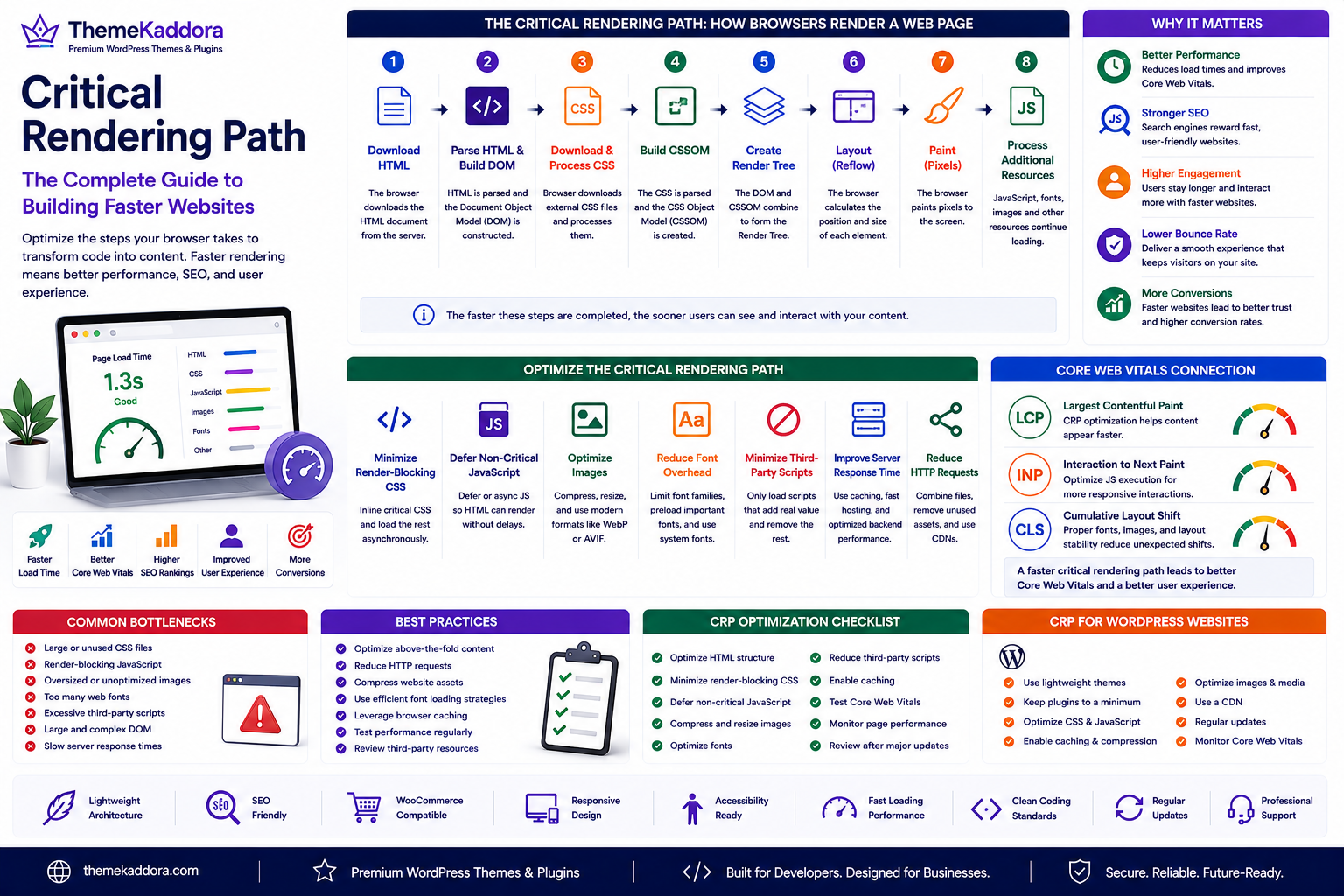
Critical Rendering Path: The Complete Guide to Building Faster Websites
Introduction
Website visitors expect pages to load quickly. Even a delay of a few seconds can increase bounce rates, reduce engagement, and negatively affect conversions. For businesses, improving website speed is not only about performance—it is also about delivering a better user experience.
One of the most important concepts behind fast-loading websites is the Critical Rendering Path (CRP).
The Critical Rendering Path describes the sequence of steps a browser follows to convert HTML, CSS, JavaScript, fonts, and images into the page users see on their screens. The more efficiently this process runs, the faster meaningful content becomes visible.
Whether you're managing a WordPress website, an ecommerce store, or a custom web application, understanding the Critical Rendering Path helps you build websites that feel faster, perform better, and scale more effectively.
What Is the Critical Rendering Path?
The Critical Rendering Path is the process a browser uses to transform website code into a fully rendered web page.
The browser typically performs these steps:
Download the HTML document.
Parse the HTML and build the Document Object Model (DOM).
Download and process CSS files.
Build the CSS Object Model (CSSOM).
Combine the DOM and CSSOM into the Render Tree.
Calculate layout and element positions.
Paint pixels to the screen.
Continue processing additional resources such as JavaScript, fonts, and images.
Each step affects how quickly users can interact with a webpage.
Why the Critical Rendering Path Matters
Optimizing the Critical Rendering Path helps:
Reduce page load times
Improve Core Web Vitals
Increase user engagement
Support better SEO
Reduce render-blocking delays
Improve mobile performance
Create smoother browsing experiences
These improvements benefit both visitors and website owners.
Common Performance Bottlenecks
Several factors can slow the rendering process:
Large CSS files
Render-blocking JavaScript
Oversized images
Too many web fonts
Excessive third-party scripts
Large Document Object Models (DOMs)
Slow server responses
Identifying these bottlenecks is the first step toward improving performance.
How to Optimize the Critical Rendering Path
Minimize Render-Blocking CSS
Deliver only the CSS needed to display above-the-fold content first, and load non-critical styles later when appropriate.
Defer Non-Critical JavaScript
Delay scripts that are not required for the initial page render so the browser can display content sooner.
Optimize Images
Compress images, resize them appropriately, and use modern image formats when practical.
Reduce Font Overhead
Limit the number of font families and weights, preload important fonts, and consider system fonts where appropriate.
Minimize Third-Party Scripts
Review analytics, advertising, chat widgets, and embedded services to ensure they provide real value before including them.
Improve Server Response Time
Efficient hosting, caching, and optimized backend code help browsers begin rendering more quickly.
Critical Rendering Path and Core Web Vitals
Optimizing the Critical Rendering Path supports important performance metrics, including:
Largest Contentful Paint (LCP)
Interaction to Next Paint (INP)
Cumulative Layout Shift (CLS)
While CRP optimization alone does not guarantee excellent Core Web Vitals, it contributes significantly to faster rendering and a more stable browsing experience.
Critical Rendering Path for WordPress Websites
WordPress websites often benefit from CRP optimization by:
Choosing lightweight themes
Reducing unnecessary plugins
Optimizing CSS and JavaScript delivery
Using efficient caching
Optimizing media assets
Leveraging Content Delivery Networks (CDNs)
These practices help improve performance without sacrificing functionality.
Best Practices
Optimize Above-the-Fold Content
Load the content visitors see first before less important resources.
Reduce HTTP Requests
Combine or eliminate unnecessary files where appropriate.
Compress Website Assets
Use compression techniques to reduce transfer sizes.
Test Performance Regularly
Measure website speed before and after making performance changes.
Review Third-Party Resources
Remove services that add significant overhead without delivering meaningful value.
Common Mistakes to Avoid
Avoid these common issues:
Loading every script on every page
Using oversized images
Installing unnecessary plugins
Ignoring mobile performance
Adding excessive animations
Neglecting performance testing after updates
Critical Rendering Path Optimization Checklist
Before launching your website, make sure you:
✅ Optimize HTML structure
✅ Minimize render-blocking CSS
✅ Defer non-critical JavaScript
✅ Compress and resize images
✅ Optimize fonts
✅ Reduce third-party scripts
✅ Enable caching
✅ Test Core Web Vitals
✅ Monitor page performance regularly
✅ Review website speed after major updates
Why Choose Themekaddora?
Themekaddora develops WordPress themes with performance, usability, and scalability in mind.
Our themes include:
Lightweight architecture
SEO-friendly code
Responsive layouts
WooCommerce compatibility
Accessibility-ready design
Fast loading performance
Clean HTML5 and CSS3 standards
Flexible customization
Cross-browser compatibility
Regular updates
Professional support
Combined with Critical Rendering Path optimization, Themekaddora themes help businesses build fast, efficient, and user-friendly websites.
Conclusion
The Critical Rendering Path is one of the foundations of modern web performance. By understanding how browsers render pages and reducing delays caused by CSS, JavaScript, images, fonts, and third-party resources, website owners can create faster experiences that benefit users and search engines alike.
Whether you're optimizing a WordPress blog, an online store, or a business website, improving the Critical Rendering Path supports better performance, stronger Core Web Vitals, and a smoother browsing experience. Together with Themekaddora's lightweight WordPress themes, it provides a solid foundation for building websites that are ready for long-term growth.
Frequently Asked Questions
What is the Critical Rendering Path?
The Critical Rendering Path is the sequence of steps a browser follows to convert website code into a visible web page.
Why is the Critical Rendering Path important?
It directly affects how quickly content appears on the screen, influencing user experience, Core Web Vitals, and overall website performance.
Does optimizing the Critical Rendering Path improve SEO?
Improving page speed and user experience can support SEO, and Critical Rendering Path optimization contributes to those performance improvements.
How can WordPress websites improve the Critical Rendering Path?
Use lightweight themes, optimize CSS and JavaScript delivery, compress images, reduce unnecessary plugins, enable caching, and minimize third-party scripts.
Why choose Themekaddora?
Themekaddora provides lightweight, SEO-friendly WordPress themes with responsive layouts, WooCommerce compatibility, accessibility support, fast performance, clean coding standards, regular updates, and professional support—helping businesses build modern websites optimized for speed and user experience.
Comments (0)