
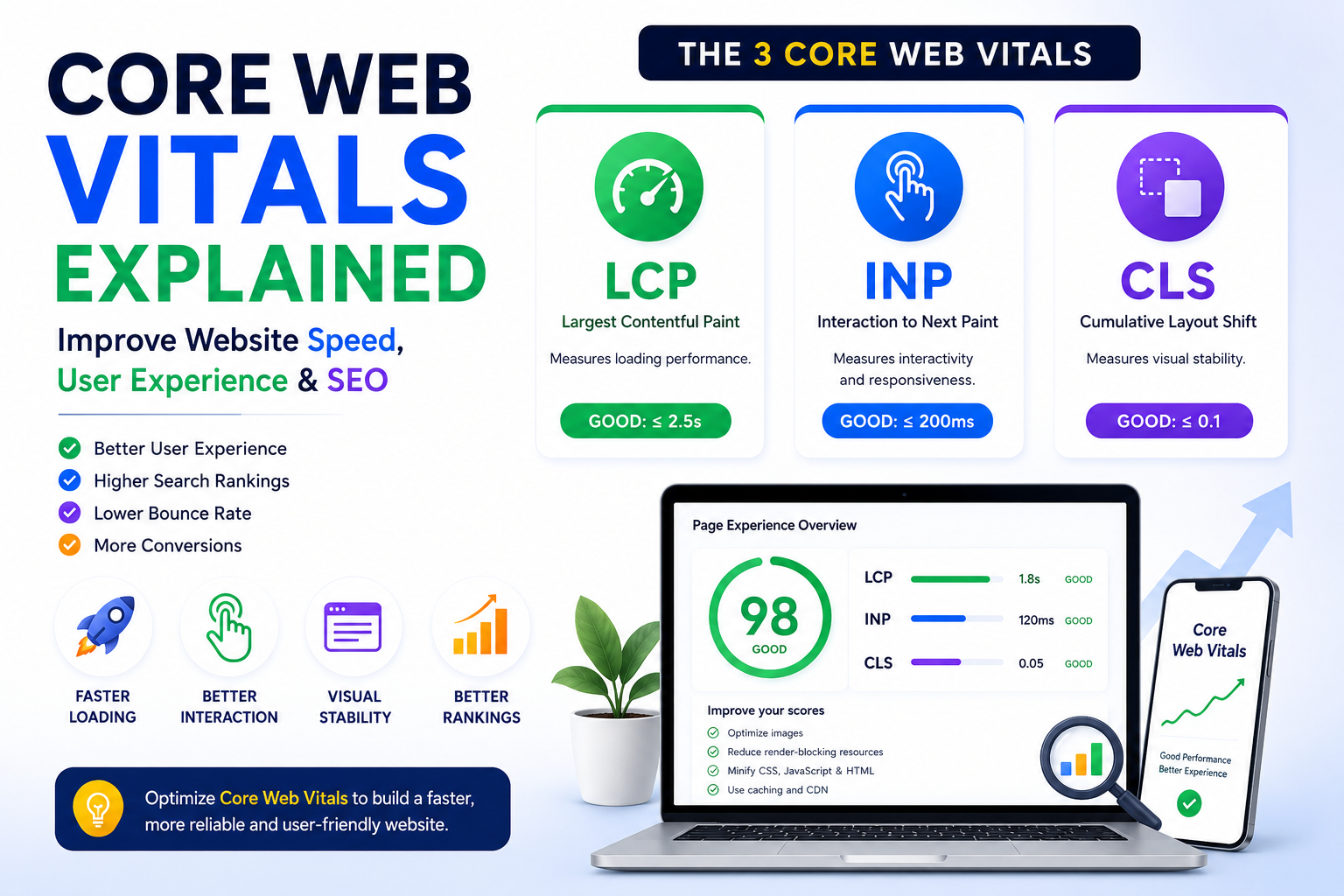
Core Web Vitals Explained: Improve Website Speed, User Experience, and SEO
Introduction
Website visitors expect pages to load quickly, respond immediately to interactions, and remain visually stable while loading. Core Web Vitals provide a standardized way to measure these aspects of user experience.
Introduced as part of Google's page experience initiative, Core Web Vitals help developers and website owners evaluate how users actually experience a website. Rather than focusing only on technical benchmarks, these metrics emphasize loading performance, responsiveness, and visual stability.
Whether you manage a WordPress site, React application, eCommerce store, SaaS platform, or business website, understanding Core Web Vitals helps you prioritize improvements that benefit both users and search visibility.
What Are Core Web Vitals?
Core Web Vitals are a set of user experience metrics that evaluate:
Loading performance
Responsiveness
Visual stability
They focus on how quickly important content appears, how responsive a page feels after user input, and how stable the layout remains during loading.
Why Core Web Vitals Matter
Good Core Web Vitals can contribute to:
Better user experience
Improved engagement
Lower bounce rates
Increased trust
Better mobile usability
Stronger technical SEO
Visitors are more likely to remain on websites that feel fast and responsive.
The Three Core Web Vitals
The current Core Web Vitals are:
Largest Contentful Paint (LCP)
Interaction to Next Paint (INP)
Cumulative Layout Shift (CLS)
Together, these metrics provide a balanced view of page performance.
Largest Contentful Paint (LCP)
LCP measures how quickly the largest visible content element loads.
Common factors affecting LCP include:
Slow server response
Large images
Render-blocking resources
Unoptimized fonts
Improving LCP helps visitors see meaningful content sooner.
Interaction to Next Paint (INP)
INP measures how responsive a page is after user interaction.
It evaluates actions such as:
Clicking buttons
Opening menus
Submitting forms
Typing into fields
Lower interaction delays create a smoother browsing experience.
Cumulative Layout Shift (CLS)
CLS measures unexpected visual movement during page loading.
Layout shifts often occur because of:
Images without dimensions
Dynamic advertisements
Late-loading fonts
Inserted content
Stable layouts improve usability and reduce frustration.
How Core Web Vitals Affect SEO
Although content quality remains the primary ranking factor, technical performance contributes to overall page experience.
Improving Core Web Vitals can support:
Better user satisfaction
Improved crawl efficiency
Enhanced mobile experience
Stronger technical SEO foundation
Optimizing these metrics benefits both users and search engines.
Common Causes of Poor Scores
Performance issues commonly result from:
Large media files
Excessive JavaScript
Unoptimized CSS
Slow hosting
Third-party scripts
Render-blocking resources
Identifying bottlenecks helps prioritize optimization efforts.
How to Improve LCP
Common improvements include:
Optimize server response
Compress images
Use modern image formats
Reduce render-blocking resources
Improve caching
These changes help important content appear more quickly.
How to Improve INP
Strategies include:
Reduce JavaScript execution
Optimize event handlers
Minimize long tasks
Improve code efficiency
Better responsiveness improves the overall user experience.
How to Improve CLS
Reduce layout shifts by:
Setting image dimensions
Reserving space for dynamic elements
Optimizing font loading
Avoiding unexpected content insertion
A stable layout creates a more predictable browsing experience.
Tools to Measure Core Web Vitals
Common performance testing tools include:
Google PageSpeed Insights
Lighthouse
Chrome DevTools
Chrome User Experience Report
WebPageTest
Using multiple tools provides a broader understanding of website performance.
Best Practices
Monitor Core Web Vitals regularly.
Optimize images and media.
Keep JavaScript lightweight.
Improve server performance.
Test after major updates.
Prioritize mobile performance.
Common Mistakes
Avoid:
Focusing only on one metric
Ignoring real-user experience
Adding unnecessary scripts
Using oversized media
Delaying performance testing
Continuous monitoring produces more consistent results.
Frequently Asked Questions
What are Core Web Vitals?
Core Web Vitals are performance metrics that measure loading speed, responsiveness, and visual stability.
What is LCP?
Largest Contentful Paint measures how quickly the main visible content loads.
What is INP?
Interaction to Next Paint measures how quickly a website responds to user interactions.
What is CLS?
Cumulative Layout Shift measures unexpected movement of page elements while loading.
Do Core Web Vitals affect SEO?
They contribute to page experience and technical SEO, alongside many other ranking factors.
Final Thoughts
Core Web Vitals provide a practical framework for evaluating website performance from the visitor's perspective. By improving loading speed, responsiveness, and visual stability, website owners can create experiences that are faster, more reliable, and more enjoyable.
Rather than treating these metrics as isolated technical scores, view them as part of an ongoing performance strategy that supports users, accessibility, and long-term website success.
Comments (0)