
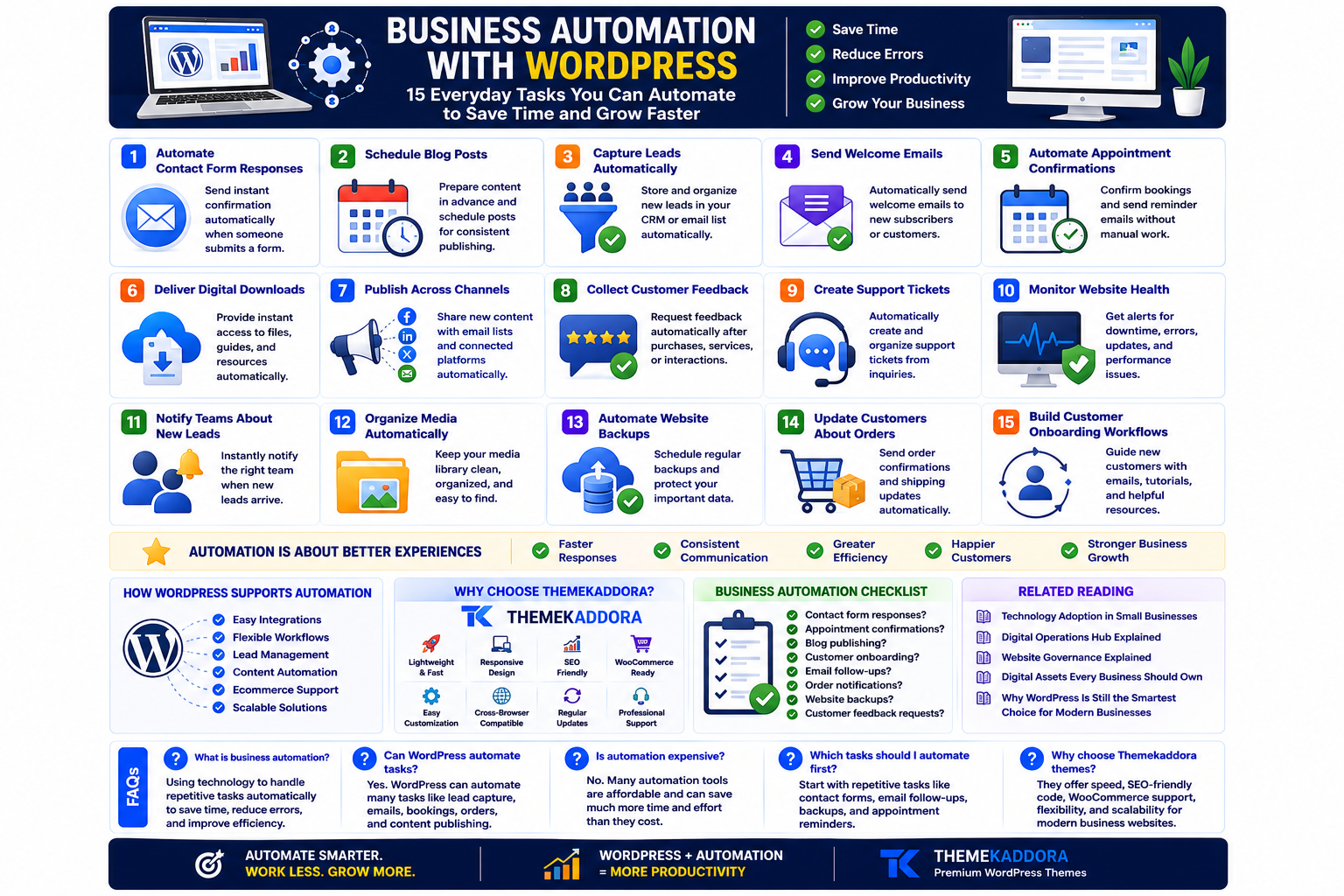
Business Automation with WordPress: 15 Everyday Tasks You Can Automate to Save Time and Grow Faster
Introduction
Running a business means handling hundreds of small tasks every week.
Responding to inquiries.
Scheduling appointments.
Sending invoices.
Publishing content.
Following up with leads.
Updating customers.
Individually, these tasks may only take a few minutes.
Together, they consume hours that could be spent improving products, serving customers, or growing the business.
This is where automation becomes valuable.
Automation isn't about replacing people.
It's about allowing people to focus on meaningful work while technology handles repetitive processes.
WordPress is more than a content management system. With the right integrations and workflows, it can become the central hub for business automation.
What Is Business Automation?
Business automation is the process of using technology to complete repetitive tasks with minimal manual effort.
Examples include:
Sending confirmation emails
Scheduling blog posts
Collecting customer inquiries
Processing online orders
Creating support tickets
Delivering downloadable resources
Automation reduces repetitive work while improving consistency.
Why Small Businesses Should Automate
Automation helps businesses:
Save time
Reduce human error
Improve customer response times
Standardize processes
Increase productivity
Scale operations without increasing workload
Even simple automations can make a measurable difference.
1. Automate Contact Form Responses
When someone submits a contact form, they expect confirmation.
Automatically sending a personalized acknowledgment reassures visitors that their inquiry has been received.
2. Schedule Blog Posts
Instead of publishing articles manually, prepare content in advance and schedule publication.
This helps maintain a consistent publishing calendar.
3. Capture Leads Automatically
Connect your forms with email marketing or CRM tools so new inquiries are stored and organized without manual data entry.
4. Send Welcome Emails
When someone subscribes to your newsletter or creates an account, send a welcome email automatically.
This creates a strong first impression.
5. Automate Appointment Confirmations
Service businesses can automatically confirm appointments and send reminders, reducing missed bookings.
6. Deliver Digital Downloads
Provide instant access to guides, templates, or ebooks after a visitor completes a form or purchase.
Customers receive value immediately.
7. Publish Content Across Multiple Channels
After publishing a new article, automate notifications to your email subscribers or connected marketing platforms.
This keeps your audience informed without repetitive work.
8. Collect Customer Feedback
Automatically request feedback after:
Product purchases
Service completion
Consultations
Support interactions
Regular feedback helps improve customer experience.
9. Create Support Tickets
Automatically organize customer inquiries into your support workflow instead of manually sorting emails.
10. Monitor Website Health
Automated monitoring can notify you when:
Pages become unavailable
Performance declines
Security updates are required
Backups fail
Early alerts reduce downtime.
11. Notify Teams About New Leads
When a qualified lead arrives, notify the appropriate team member immediately.
Faster follow-up often improves conversion opportunities.
12. Organize Media Automatically
Create consistent naming conventions and organized media libraries to simplify long-term website management.
13. Backup Important Data
Schedule automatic backups so your website can be restored quickly if unexpected problems occur.
Backups should be routine, not reactive.
14. Update Customers About Orders
For ecommerce businesses, automated order confirmations and shipping updates improve transparency and reduce support requests.
15. Build Customer Onboarding Workflows
Guide new customers through onboarding with a sequence of helpful emails, tutorials, and resources delivered automatically.
This improves customer confidence from the beginning.
Automation Is About Better Experiences
Businesses sometimes automate simply to reduce workload.
The best automation improves the customer experience by making interactions:
Faster
More consistent
More convenient
More reliable
Automation should strengthen relationships, not remove the human touch.
Common Automation Mistakes
Avoid:
Automating every interaction
Sending generic messages
Ignoring customer feedback
Creating overly complex workflows
Forgetting to review automated processes
Automation should simplify operations, not create confusion.
How WordPress Supports Automation
WordPress integrates with a wide range of business tools, allowing organizations to automate:
Lead management
Content publishing
Ecommerce workflows
Customer communication
Appointment scheduling
Marketing activities
Its flexibility allows businesses to expand automation gradually as their needs grow.
Why Your Theme Matters
Automation performs best on a website that is:
Fast
Reliable
Responsive
Easy to navigate
A lightweight WordPress theme ensures automated workflows are supported by a professional user experience.
Why Choose Themekaddora?
Themekaddora WordPress themes are designed for businesses that want to combine performance with productivity.
Our themes include:
Lightweight architecture
Responsive layouts
SEO-friendly code
WooCommerce compatibility
Fast loading performance
Flexible customization
Modern business templates
Cross-browser compatibility
Regular updates
Professional support
Whether you're automating lead generation, ecommerce, customer support, or content publishing, Themekaddora provides a reliable foundation for business growth.
Business Automation Checklist
Review your current workflows.
Can you automate:
✅ Contact form responses?
✅ Appointment confirmations?
✅ Blog publishing?
✅ Customer onboarding?
✅ Email follow-ups?
✅ Order notifications?
✅ Website backups?
✅ Customer feedback requests?
Related Reading
Continue exploring:
Technology Adoption in Small Businesses
Digital Operations Hub Explained
Website Governance Explained
Digital Assets Every Business Should Own
Why WordPress Is Still the Smartest Choice for Modern Businesses
Together, these resources help you build a smarter, more efficient digital business powered by WordPress.
Conclusion
Automation isn't just for large enterprises.
Businesses of every size can reduce repetitive work, improve customer experiences, and increase productivity by automating everyday tasks.
WordPress provides the flexibility to introduce automation gradually, allowing your business to evolve without replacing existing systems.
Combined with a fast, scalable WordPress theme from Themekaddora, automation becomes more than a convenience—it becomes a competitive advantage that helps your business work smarter as it grows.
Frequently Asked Questions (FAQs)
What is business automation?
Business automation uses technology to perform repetitive tasks automatically, helping businesses save time, reduce errors, and improve efficiency.
Can WordPress automate business workflows?
Yes. WordPress can integrate with various tools to automate lead capture, email notifications, ecommerce processes, appointment scheduling, content publishing, and more.
Is automation suitable for small businesses?
Absolutely. Even simple automations can improve productivity, reduce manual work, and provide a better customer experience.
What tasks should businesses automate first?
Start with repetitive tasks such as contact form confirmations, email follow-ups, backups, appointment reminders, and customer onboarding.
Why choose Themekaddora WordPress themes?
Themekaddora themes combine lightweight performance, responsive layouts, SEO-friendly code, WooCommerce compatibility, and flexible customization, creating a reliable foundation for automated, scalable business websites.
Comments (0)