
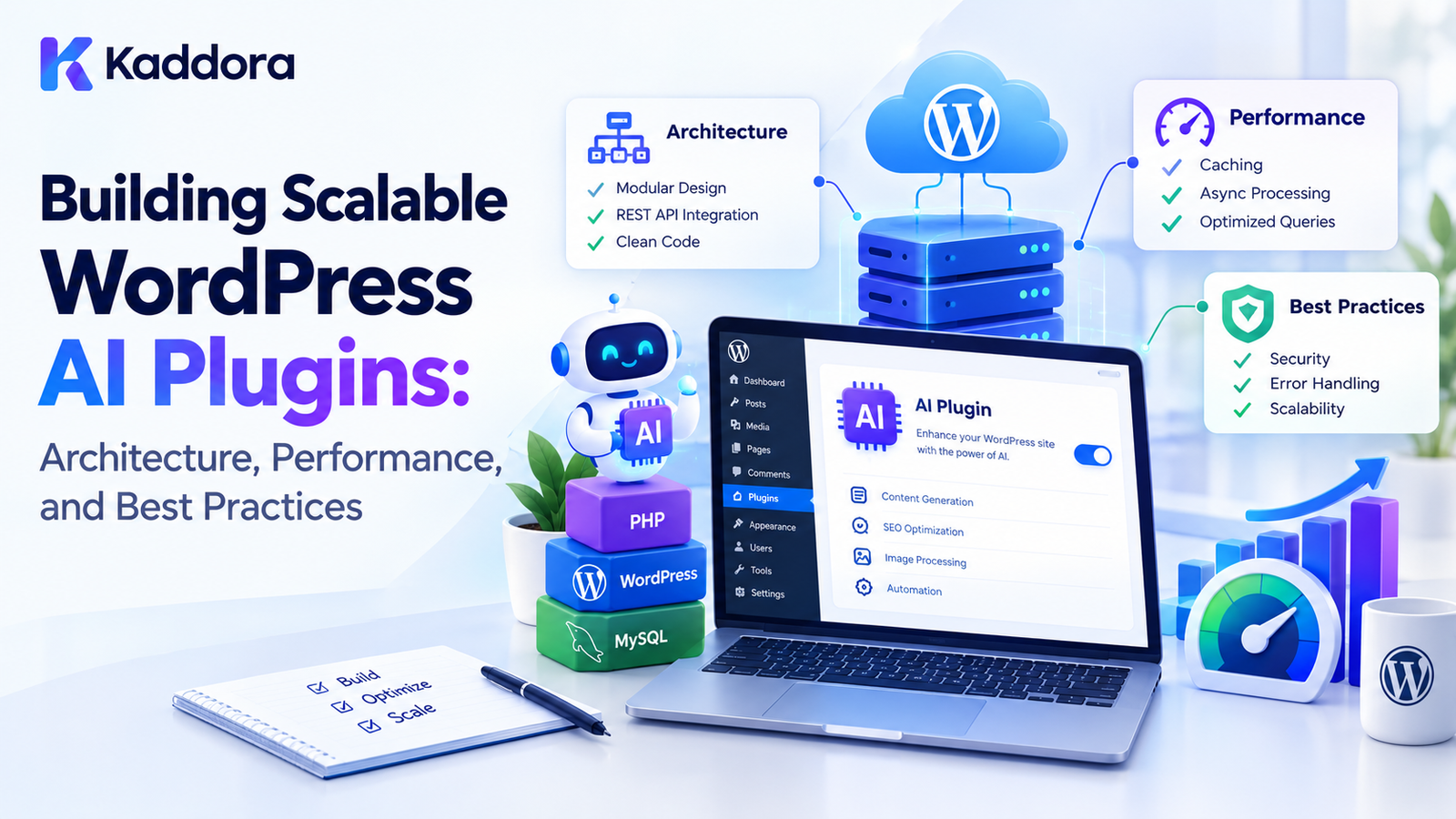
Building Scalable WordPress AI Plugins: Architecture, Performance, and Best Practices
Introduction
AI can transform WordPress plugins by adding intelligent search, content generation, customer support, recommendations, automation, image generation, analytics, and other advanced capabilities.
However, building an AI feature that works on a small website is different from building an AI plugin that can support thousands of websites, users, requests, products, posts, and background jobs.
A scalable WordPress AI plugin needs an architecture that can handle increasing workloads without creating unnecessary server load, database bottlenecks, API problems, or poor user experiences.
A scalable architecture should consider:
Plugin modularity
AI API communication
Background processing
Caching
Database design
Queue management
Rate limiting
Error handling
Security
Performance
Monitoring
Compatibility
Extensibility
The goal is to build the foundation correctly before the plugin becomes difficult to change.
What Is a Scalable WordPress AI Plugin?
A scalable WordPress AI plugin is designed to continue operating efficiently as usage increases.
For example, the plugin might initially process:
10 AI Requests
Later, it may need to handle:
100 AI Requests 1,000 AI Requests 10,000 AI Requests
Scalability means the architecture can accommodate this growth without relying on inefficient synchronous processing or uncontrolled resource consumption.
Why AI Plugins Need Scalable Architecture
Traditional WordPress functionality often executes directly within the website.
AI plugins introduce additional systems:
WordPress ↓ AI Plugin ↓ AI API ↓ External Processing ↓ Response
Large AI plugins may also involve:
WordPress ↓ Plugin Core ├── AI API ├── Cache ├── Queue ├── Database ├── REST API ├── Background Jobs └── Admin Interface
Each component can become a bottleneck if it is not designed carefully.
Scalability vs Performance
Performance and scalability are related but not identical.
Performance asks:
How efficiently does the plugin handle a workload?
Scalability asks:
How does the plugin behave as the workload increases?
For example:
10 Users → 100 ms
is a performance measurement.
But:
10 Users 100 Users 1,000 Users 10,000 Users
shows how the system behaves as usage grows.
A scalable plugin needs both efficient individual operations and an architecture capable of handling larger workloads.
Start With Modular Plugin Architecture
A scalable AI plugin should avoid putting everything inside one large class or file.
A modular architecture can look like:
AI Plugin │ ├── Core ├── AI ├── API ├── Admin ├── Frontend ├── Queue ├── Cache ├── Database ├── Security └── Integrations
Each module should have a clearly defined responsibility.
Separate Responsibilities
For example:
AI Client ↓ Handles AI API communication Queue ↓ Handles background jobs Cache ↓ Handles reusable results Repository ↓ Handles data access Admin ↓ Handles administration interface
This makes the plugin easier to maintain and extend.
Use a Plugin Bootstrap Layer
The plugin bootstrap should initialize the application without performing unnecessary expensive work.
A simplified flow is:
Plugin Load ↓ Bootstrap ↓ Register Services ↓ Register Hooks ↓ Load Required Components
The bootstrap should not perform large AI operations or expensive database processing.
Separate AI Provider Logic
Do not tightly couple every plugin feature to one AI provider.
Instead, introduce an abstraction:
AI Service ↓ Provider Interface ↓ ┌─────────────┐ │ │ Provider A Provider B
This can make future provider changes easier.
AI Provider Abstraction
A plugin might define operations such as:
generate() analyze() translate() embed() classify()
The individual provider implementation can handle the actual API communication.
This separates application logic from provider-specific details.
Why Provider Abstraction Matters
A plugin may eventually need:
Different AI providers
Different models
Different pricing
Different capabilities
Different regional availability
Different API limits
An abstraction layer can make these changes easier to manage.
Use Configuration Instead of Hardcoding
AI plugin configuration may include:
API provider
Model
Timeout
Maximum tokens
Rate limits
Cache duration
Retry count
Queue settings
Avoid scattering these values throughout the plugin.
Instead, centralize configuration.
Example Configuration Structure
AI Configuration │ ├── Provider ├── Model ├── Timeout ├── Retry Policy ├── Rate Limit ├── Cache └── Queue
This makes the system easier to configure and maintain.
Background Processing
One of the most important scalability techniques is moving heavy AI operations away from normal page requests.
Instead of:
User Request ↓ AI API ↓ Long Processing ↓ Response
use:
User Request ↓ Create Job ↓ Immediate Response ↓ Queue ↓ Worker ↓ AI API ↓ Store Result
This prevents long-running tasks from blocking users.
What Should Use Background Processing?
Background processing is useful for:
Bulk content generation
AI translation
Product analysis
Image generation
Embedding generation
Large content analysis
Recommendation generation
Scheduled AI processing
Bulk SEO analysis
Build a Reliable Queue
A scalable queue should track job states.
For example:
Pending ↓ Processing ↓ Completed
or:
Pending ↓ Processing ↓ Failed ↓ Retry
This allows the plugin to manage large workloads systematically.
Avoid Unlimited Queue Growth
A plugin should not allow unlimited background jobs to execute simultaneously.
For example:
10,000 Jobs ↓ Unlimited Workers ↓ Server Overload
Instead:
10,000 Jobs ↓ Controlled Queue ↓ Limited Workers
Control Concurrency
Concurrency determines how many operations can execute at the same time.
For example:
Queue ↓ Worker 1 Worker 2 Worker 3
The correct number depends on:
Hosting resources
AI provider limits
Job complexity
Database capacity
Expected workload
AI API Rate Limiting
AI providers often impose request limits.
A scalable plugin should maintain its own request control.
AI Jobs ↓ Rate Limiter ↓ AI Provider
This prevents a large queue from generating uncontrolled API traffic.
Handle Rate Limit Responses
When an AI provider returns a rate-limit response, the plugin should not continuously retry immediately.
Instead:
Rate Limit ↓ Delay ↓ Retry
A controlled backoff strategy helps prevent additional pressure on the API.
Use Exponential Backoff
For temporary failures:
Attempt 1 ↓ Short Delay Attempt 2 ↓ Longer Delay Attempt 3 ↓ Longer Delay
This is more appropriate than repeatedly sending requests without delay.
Cache AI Results
Caching can dramatically reduce repeated AI operations.
Instead of:
Request ↓ AI API
use:
Request ↓ Cache? ↙ ↘ Yes No ↓ ↓ Return AI API ↓ Cache
What Can Be Cached?
Depending on the feature, caching may be useful for:
AI search results
Content analysis
Product descriptions
Recommendations
Classifications
Translations
Embeddings
Generated metadata
Design Good Cache Keys
A cache key should identify the specific operation.
For example:
product_100_description_en_v2
A more complex operation might consider:
Object ID + Operation + Language + Model + Prompt Version
Cache Invalidation
Scalable systems need a clear invalidation strategy.
For example:
Product Updated ↓ Invalidate Product AI Cache ↓ Regenerate When Needed
This prevents stale AI results from remaining indefinitely.
Avoid Duplicate AI Requests
Two users may request the same expensive operation simultaneously.
Without protection:
Request A → AI API Request B → AI API Request C → AI API
With request deduplication:
Request A Request B ──→ Existing Job Request C ──→ Existing Job ↓ AI API
This reduces unnecessary work.
Optimize AI Context
Sending unnecessary content to an AI provider can increase processing requirements.
Instead of:
Entire Website + Entire Product Catalog + All Previous Content
send:
Relevant Context + Required Metadata + Specific Instructions
Use Prompt Templates
Centralized prompt templates can improve consistency.
For example:
Task ↓ Prompt Template ↓ Dynamic Context ↓ AI Request
Prompt versions can also be tracked so cached results can be invalidated when the prompt changes.
Control AI Response Size
Request only the output required by the application.
For example, if a feature requires:
Title Description
there may be no reason to request several pages of explanation.
Smaller responses can reduce:
Network transfer
Processing
Parsing
Storage
Use Structured AI Responses
Structured responses can make AI processing more predictable.
For example:
{ "title": "Example", "description": "Example description", "keywords": [ "wordpress", "ai" ] }
The plugin can validate the structure before storing it.
Validate AI Output
Never assume AI output is automatically valid application data.
Validate:
Required fields
Data types
Length
Allowed values
JSON structure
Content constraints
A useful workflow is:
AI Response ↓ Validate ↓ Sanitize ↓ Store
Database Architecture for Scalability
AI plugins can generate substantial amounts of data.
Potential data includes:
AI requests
AI responses
Jobs
Logs
Embeddings
Usage statistics
Generated content
The database architecture should match the expected volume.
Avoid Storing Large AI Data in Options
WordPress options are useful for configuration, but they are not automatically appropriate for large datasets.
Avoid storing huge AI histories or queues in a single option.
Large datasets may require custom tables or another suitable storage architecture.
Custom Tables for Large AI Data
For high-volume data, a custom table may be more appropriate.
For example:
wp_kaddora_ai_jobs
could contain job-related records.
Another table might store:
wp_kaddora_ai_usage
The exact architecture depends on the plugin's requirements.
Database Indexing
Large AI datasets need efficient query paths.
Indexes can help with frequently queried fields such as:
Job status
User ID
Site ID
Created date
Object ID
Job type
Indexes should be based on actual query patterns.
Avoid N+1 Queries
A plugin should not perform one database query for every record when the information can be retrieved more efficiently.
For example:
1,000 Products + 1,000 Individual Queries
can become a major bottleneck.
Use appropriate batching and query strategies.
Batch Processing
Instead of processing 10,000 records in one request:
10,000 Records ↓ One Request
use:
Batch 1 Batch 2 Batch 3 ... Batch N
This reduces memory pressure and makes failures easier to recover from.
Memory Management
AI plugins may process large amounts of text.
Avoid loading unnecessary datasets into memory.
A better workflow is:
Fetch Batch ↓ Process Batch ↓ Save ↓ Release ↓ Next Batch
Optimize WordPress REST APIs
AI interfaces frequently use REST APIs.
REST endpoints should:
Validate input
Authenticate requests
Return only required data
Use pagination
Avoid expensive repeated queries
Handle errors consistently
Paginate Large Responses
Instead of:
GET /ai/jobs ↓ 50,000 Records
use:
GET /ai/jobs?page=1
with controlled page sizes.
Avoid Excessive Polling
Background job interfaces often poll for status.
Avoid:
Every 1 second
for large numbers of users.
Use an appropriate interval and return lightweight status information.
Return Lightweight Job Status
Instead of returning complete job data:
{ "id": 123, "prompt": "...", "response": "...", "metadata": "...", "logs": "..." }
a status endpoint might return:
{ "status": "processing", "progress": 65 }
This reduces network and server workload.
Conditional Asset Loading
A scalable plugin should not load all JavaScript and CSS files on every WordPress page.
Load assets only where they are required.
For example:
AI Admin Dashboard ↓ Load AI Dashboard Assets
while unrelated frontend pages remain lightweight.
Lazy Loading
Expensive AI interfaces can be loaded only when the user needs them.
Page Load ↓ Basic Interface ↓ User Opens AI Tool ↓ Load AI Module
Separate Admin and Frontend Systems
The plugin should keep administrative functionality separate from frontend functionality.
This helps prevent unnecessary admin code and assets from affecting public pages.
Use Capability Checks
Administrative AI features should be available only to authorized users.
For example:
Current User ↓ Capability Check ↓ Authorized?
Security and scalability often overlap because preventing unauthorized operations also prevents unnecessary resource consumption.
AI Usage Quotas
If a plugin provides AI functionality to multiple users, usage quotas can help control resource consumption.
Possible limits include:
Requests per hour
Requests per day
Token limits
Job limits
Feature-specific quotas
Multi-User AI Architecture
For plugins serving many users:
Users ├── User A ├── User B ├── User C └── User D ↓ Plugin ↓ Queue ↓ AI API
The queue and rate limiter should prevent one user's workload from consuming all available resources.
WordPress Multisite Scalability
Multisite plugins need to distinguish between:
Network-level configuration
Site-level configuration
User-level data
AI cache keys and background jobs should preserve the appropriate site context.
Design for WooCommerce Scale
AI WooCommerce plugins can encounter large product catalogs.
Instead of processing:
50,000 Products
in one operation, use:
Product IDs ↓ Queue ↓ Batches ↓ AI Processing ↓ Store Results
This makes bulk AI operations more manageable.
AI Image Generation Scalability
Image generation can be resource-intensive.
A scalable workflow is:
User Request ↓ Create Job ↓ Queue ↓ AI Image Provider ↓ Receive Image ↓ Store ↓ Update Status
The user should not need to keep a PHP request open while the entire operation completes.
AI Embedding Scalability
Embedding generation should generally be event-driven or batch-based.
For example:
Post Created ↓ Queue Embedding Job ↓ Generate Embedding ↓ Store Embedding
When content changes:
Post Updated ↓ Invalidate Existing Embedding ↓ Generate New Embedding
AI Search Scalability
A scalable semantic search architecture can look like:
Content ↓ Embedding Generation ↓ Index ↓ Search ↓ Relevant Results ↓ Optional AI Processing
Precomputing reusable information can reduce expensive processing during every search.
AI Recommendation Scalability
Instead of generating recommendations from scratch on every page view:
Page View ↓ AI API
consider:
Scheduled/Event-Based Processing ↓ Recommendations ↓ Cache ↓ Page View ↓ Read Results
Horizontal vs Vertical Scaling
WordPress hosting may scale resources vertically by providing:
More CPU
More memory
Faster storage
More complex systems can also distribute workloads across multiple workers or services.
A plugin architecture should avoid assuming that every workload will always run in one PHP request.
Avoid Single Points of Failure
A scalable AI plugin should identify critical dependencies.
Potential bottlenecks include:
AI provider
Database
Queue
Cache
External service
Single processing worker
Graceful failure and retry strategies can improve resilience.
AI Provider Failure Handling
If an AI provider becomes temporarily unavailable:
AI Request ↓ Provider Failure ↓ Retry Policy ↓ Queue / Failed State
The plugin should avoid taking down unrelated WordPress functionality.
Graceful Degradation
Not every AI failure needs to break the website.
For example:
AI Recommendation Failed ↓ Show Existing Recommendations
or:
AI Search Enhancement Failed ↓ Use Standard WordPress Search
where the feature architecture permits it.
AI Plugin Logging
Logs can help diagnose:
API failures
Queue failures
Database issues
Authentication errors
Rate limits
Unexpected responses
However, logs should not unnecessarily store sensitive information.
Monitor AI Plugin Performance
Useful metrics include:
API response time
Queue waiting time
Job processing time
Database query time
Cache hit rate
Failed jobs
Retry count
API usage
Memory usage
Monitoring helps identify bottlenecks before they become major problems.
Scalability Testing
A plugin should be tested with increasing workloads.
For example:
10 Jobs ↓ 100 Jobs ↓ 1,000 Jobs ↓ 10,000 Jobs
Measure:
Processing time
Memory usage
Database load
API requests
Queue length
Failure rate
Test API Failure Scenarios
Do not test only successful requests.
Test:
Success Rate Limit Timeout Invalid Response Authentication Failure Server Error Network Failure
The plugin should remain stable under these conditions.
Test Large WordPress Websites
Scalability testing should include realistic WordPress environments.
Consider:
Large post databases
Large WooCommerce catalogs
Many users
Multiple administrators
Large media libraries
Large AI queues
Performance Budgets
Define reasonable performance expectations for different operations.
For example:
Frontend Request ↓ Keep Lightweight
while:
Bulk AI Processing ↓ Background Queue
This prevents expensive operations from silently moving into user-facing requests.
Avoid Premature Optimization
Scalability does not mean adding unnecessary complexity everywhere.
Start with:
Simple + Modular + Measurable
Then optimize actual bottlenecks.
Do not introduce complex infrastructure unless the workload requires it.
Build for Extensibility
A scalable plugin should also be extensible.
Useful extension points can include:
AI providers
Models
Prompt templates
Queue handlers
Storage providers
Recommendation strategies
Search engines
Integrations
This allows the plugin to evolve without rewriting its core.
Use WordPress Hooks Carefully
Actions and filters can provide useful extension points.
For example:
Plugin Event ↓ Action ↓ Extension
However, excessive hooks around performance-critical operations can make behavior difficult to understand.
Use clear and purposeful extension points.
Document the Architecture
Scalable systems become difficult to maintain when developers do not understand how components interact.
Document:
Module responsibilities
Data flow
Queue behavior
AI provider interfaces
Cache strategy
Database structure
API endpoints
Error handling
Extension points
Scalable WordPress AI Plugin Architecture
A mature architecture might look like:
WordPress │ ┌───────────────┼────────────────┐ │ │ │ Frontend Admin REST API │ │ │ └───────────────┼────────────────┘ │ Plugin Core │ ┌───────────────┼────────────────┐ │ │ │ AI Layer Cache Queue │ │ │ Jobs │ │ └──────────────┬─────────────────┘ │ Data Layer │ Database │ AI Provider
This type of separation makes it easier to optimize individual components as workloads grow.
Step-by-Step Guide to Building a Scalable WordPress AI Plugin
Step 1: Define the AI Feature
Clearly identify what the AI feature needs to accomplish.
Step 2: Identify Workload Types
Separate:
Interactive tasks
Background tasks
Bulk tasks
Scheduled tasks
Step 3: Design the Modules
Create clear boundaries between AI, database, queue, cache, and presentation layers.
Step 4: Abstract the AI Provider
Avoid coupling every feature directly to one provider.
Step 5: Design the Data Model
Determine which information belongs in options, metadata, custom tables, cache, or other storage.
Step 6: Add Caching
Cache results that can safely be reused.
Step 7: Add Background Processing
Move expensive workloads away from normal requests.
Step 8: Add Rate Limiting
Control external API traffic.
Step 9: Add Error Handling
Handle temporary and permanent failures separately.
Step 10: Add Monitoring
Measure actual system behavior.
Step 11: Test at Scale
Increase workloads and identify bottlenecks.
Step 12: Document the Architecture
Make future development easier.
Scalable WordPress AI Plugin Checklist
Architecture
Modular plugin structure
Clear service boundaries
AI provider abstraction
Configuration management
Extensible architecture
AI API
API timeout
Retry strategy
Rate limiting
Request validation
Response validation
Efficient prompts
Queue
Background processing
Job states
Controlled concurrency
Retry handling
Failed job handling
Database
Efficient queries
Appropriate indexes
Batch processing
Suitable storage
No unnecessary writes
No N+1 queries
Cache
Cache keys
Expiration strategy
Invalidation strategy
Request deduplication
Frontend
Conditional assets
Lazy loading
Pagination
Lightweight REST responses
Controlled polling
Security
Capability checks
Nonces where appropriate
Sanitization
Escaping
API credential protection
Privacy-aware logging
Testing
Small workload
Medium workload
Large workload
API timeout testing
Rate-limit testing
Queue failure testing
Database performance testing
Common Mistakes When Building Scalable WordPress AI Plugins
1. Putting Everything in One Class
Large classes become difficult to maintain and optimize.
2. Making AI Requests During Every Page Load
This can create unnecessary latency and API usage.
3. No Background Processing
Large workloads can cause timeouts.
4. No Caching
Repeated operations can unnecessarily consume resources.
5. Unlimited Concurrency
Too many simultaneous jobs can overload the server or API provider.
6. Poor Database Design
Large datasets can expose inefficient queries.
7. Storing Everything in Options
Large AI datasets should not automatically be stored as a single option.
8. No Rate Limiting
Large workloads can quickly generate excessive API traffic.
9. No Monitoring
Without measurements, bottlenecks can remain hidden.
10. Designing Only for a Small Website
A plugin should consider how its workload changes when the number of users, products, posts, or AI jobs increases.
Best Practices for Scalable WordPress AI Plugins
Keep the architecture modular.
Separate AI provider logic.
Use background processing for heavy tasks.
Implement controlled queues.
Limit concurrency.
Add API rate limiting.
Cache reusable results.
Deduplicate identical requests.
Optimize database queries.
Avoid N+1 queries.
Process large datasets in batches.
Use appropriate database structures.
Load frontend assets conditionally.
Paginate large API responses.
Reduce unnecessary polling.
Validate AI responses.
Implement controlled retries.
Monitor API performance.
Monitor queue performance.
Test with realistic workloads.
Design graceful failure behavior.
Protect API credentials.
Document architecture and data flow.
Build extension points carefully.
Optimize based on measured bottlenecks.
Why Choose Kaddora?
Kaddora focuses on WordPress plugins, themes, templates, WooCommerce solutions, AI-powered tools, automation, SEO, analytics, and modern website resources.
Building scalable WordPress AI plugins requires more than connecting an AI API. It requires thoughtful architecture covering:
AI integrations
Background processing
Caching
Queue management
Database optimization
Performance
Security
Extensibility
WooCommerce compatibility
API management
Kaddora provides WordPress-focused solutions and resources designed around practical website development needs.
ThemeKaddora also provides WordPress plugins, themes, templates, WooCommerce tools, AI solutions, and development resources for modern websites.
Conclusion
Building a scalable WordPress AI plugin requires planning for growth from the beginning.
An AI plugin may start with a simple workflow:
WordPress ↓ AI API ↓ Result
But a production-ready scalable system may need:
WordPress ↓ Plugin Core ├── AI Layer ├── Cache ├── Queue ├── Database ├── REST API ├── Security └── Monitoring ↓ AI Provider
The most important principles are:
Keep the architecture modular.
Separate application logic from AI provider logic.
Use background processing for expensive operations.
Cache reusable results.
Control API requests.
Optimize database operations.
Process large workloads in batches.
Monitor performance.
Test realistic workloads.
Design for graceful failure.
Provide clear extension points.
Scalability should not mean adding unnecessary complexity.
The best approach is to build a clean, modular foundation, measure actual workloads, and introduce additional optimization where the application's growth requires it.
When these principles are applied together, WordPress AI plugins can be designed to support increasingly complex workloads while keeping the website responsive, maintainable, and efficient.
Frequently Asked Questions
What is a scalable WordPress AI plugin?
A scalable WordPress AI plugin is designed to handle increasing users, requests, content, products, and AI jobs without creating disproportionate performance or resource problems.
Why does an AI plugin need scalability?
AI plugins often depend on external APIs and may process large amounts of data. As usage increases, API requests, database operations, and background jobs can increase significantly.
How can I make a WordPress AI plugin scalable?
Use modular architecture, background processing, queues, caching, rate limiting, efficient database queries, controlled concurrency, and performance monitoring.
Should AI requests run synchronously?
Small interactive requests can run synchronously when appropriate. Large or long-running operations should generally use background processing.
Why should AI jobs have statuses?
Statuses such as pending, processing, completed, and failed allow the plugin to track and recover background operations.
How can I control AI API usage?
Use rate limiting, caching, request deduplication, batching, and controlled concurrency.
What is concurrency in an AI plugin?
Concurrency refers to the number of operations being processed simultaneously.
Can too much concurrency hurt performance?
Yes. Excessive concurrent jobs can consume server resources and may exceed external AI provider limits.
Should large AI datasets be stored in WordPress options?
Generally, large datasets should not be placed into a single option merely for convenience. Storage should be selected according to the size and access requirements.
How can I scale AI processing for WooCommerce?
Use queues, batches, caching, and event-driven processing rather than attempting to process an entire large product catalog in one request.
Why choose Themekaddora?
Themekaddora provides lightweight, responsive, SEO-friendly WordPress themes with fast performance, WooCommerce compatibility, flexible customization, accessibility-conscious design, modern templates, regular updates, and professional support—providing a strong foundation for businesses building digital products and product-focused websites.
Comments (0)