
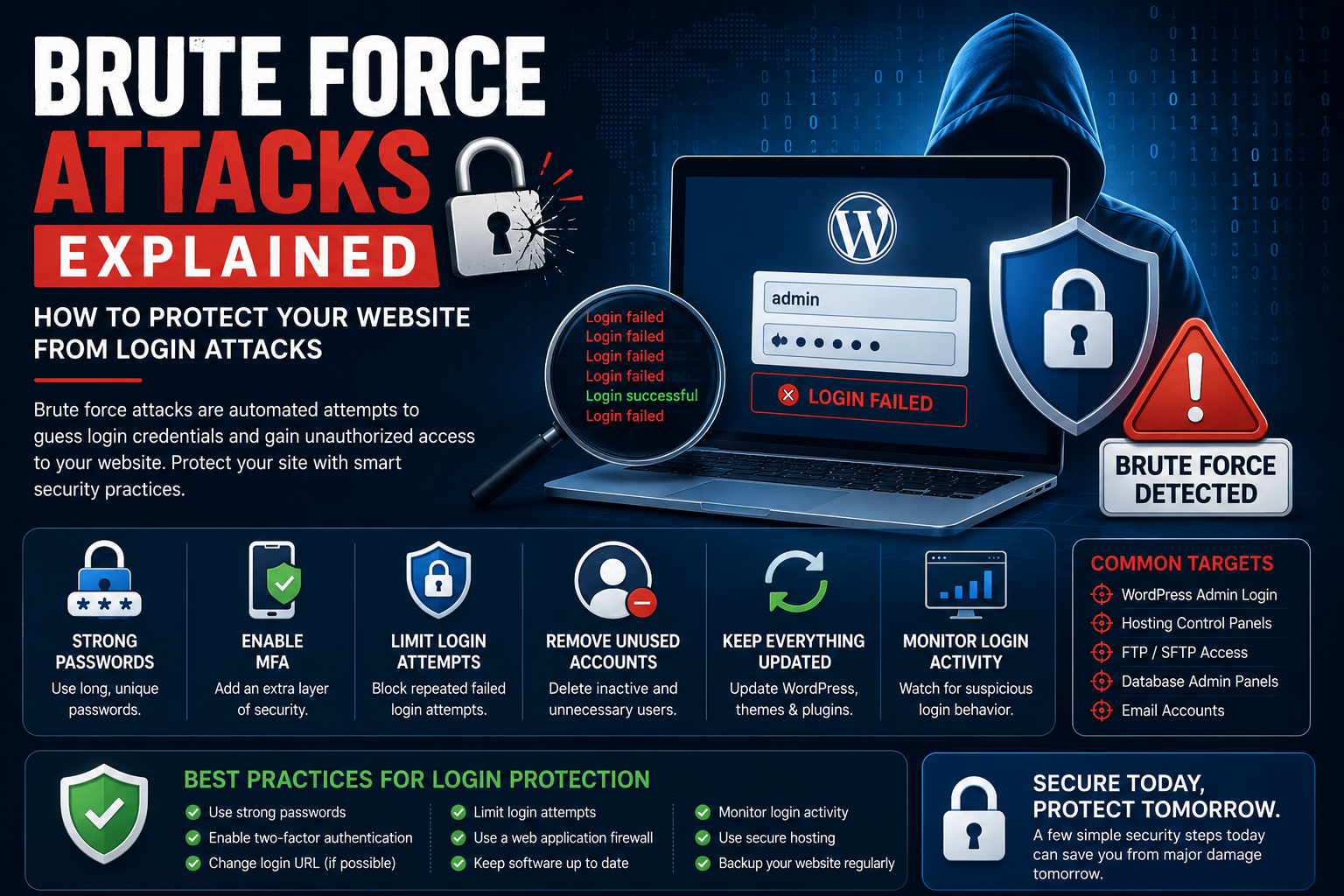
Brute Force Attacks Explained: How to Protect Your Website from Login Attacks
Introduction
Every website with a login page is a potential target for automated password-guessing attacks. One of the most common cyber threats website owners face is the brute force attack, where attackers repeatedly attempt different username and password combinations until they successfully gain access.
These attacks require little technical skill because automated tools can test thousands—or even millions—of login attempts in a short period. Whether you manage a personal blog, business website, WooCommerce store, membership portal, or enterprise application, understanding brute force attacks is an essential part of maintaining website security.
Fortunately, brute force attacks are highly preventable. Strong authentication, secure login practices, and regular monitoring can dramatically reduce your website's exposure.
What Is a Brute Force Attack?
A brute force attack is a method of gaining unauthorized access by repeatedly trying different username and password combinations until the correct credentials are found.
Unlike attacks that exploit software vulnerabilities, brute force attacks focus on weak or reused passwords.
Attackers commonly target:
WordPress administrator accounts
Website control panels
Hosting accounts
Email accounts
Database administration portals
Why Brute Force Attacks Matter
Even unsuccessful attacks can affect your website.
Potential consequences include:
Unauthorized administrator access
Data theft
Malware installation
Website defacement
Server resource exhaustion
Customer trust issues
Business disruption
Protecting login systems reduces the likelihood of these outcomes.
How Brute Force Attacks Work
Attackers use automated software to:
Identify a login page.
Generate thousands of username and password combinations.
Submit login requests continuously.
Stop once valid credentials are discovered.
Weak passwords and common usernames significantly increase the likelihood of a successful attack.
Common Types of Brute Force Attacks
Cybercriminals use several variations of brute force attacks.
Examples include:
Traditional brute force attacks
Dictionary attacks
Credential stuffing
Password spraying
Reverse brute force attacks
Hybrid attacks
Each technique attempts to bypass authentication using different strategies.
Warning Signs of a Brute Force Attack
Early detection can reduce potential damage.
Common warning signs include:
Repeated failed login attempts
Sudden spikes in server activity
Unknown login attempts from multiple locations
Locked administrator accounts
Increased server load
Security notifications from monitoring tools
Investigating unusual login activity promptly is important.
How Brute Force Attacks Affect Websites
Successful attacks can result in:
Account compromise
Malware installation
SEO spam
Website downtime
Customer data exposure
Reputation damage
Even unsuccessful attacks can consume server resources and affect performance.
How to Prevent Brute Force Attacks
Several security practices reduce risk.
Recommended measures include:
Use strong passwords.
Enable Multi-Factor Authentication (MFA).
Limit login attempts.
Remove unused administrator accounts.
Keep WordPress updated.
Use trusted security tools.
Monitor login activity regularly.
Combining multiple protective measures creates stronger defense.
Strengthening Login Security
Improve authentication by:
Choosing unique administrator usernames.
Using long passwords.
Changing passwords periodically.
Restricting administrator privileges.
Reviewing inactive accounts.
Strong authentication is one of the most effective security investments.
Monitoring Login Activity
Regular monitoring helps identify suspicious behavior before accounts are compromised.
Review:
Failed login attempts
Administrator logins
Password reset requests
New administrator accounts
Geographic login locations
Routine monitoring supports faster incident response.
Best Practices for Login Protection
Protect login pages by:
Enabling Multi-Factor Authentication.
Limiting login attempts.
Removing unused accounts.
Reviewing administrator permissions.
Updating WordPress regularly.
Monitoring security logs.
Using secure hosting.
Maintaining regular backups.
Consistent maintenance significantly improves login security.
Common Login Security Mistakes
Avoid:
Weak passwords
Using "admin" as a username
Ignoring failed login attempts
Sharing administrator accounts
Delaying WordPress updates
Leaving unused administrator accounts active
Small mistakes often create opportunities for attackers.
Final Thoughts
Brute force attacks remain one of the most common threats targeting WordPress and other websites. Fortunately, strong passwords, Multi-Factor Authentication, login attempt limits, careful account management, and continuous monitoring provide highly effective protection.
Website security is strongest when multiple defensive measures work together. Investing in secure authentication today helps protect your website, your visitors, and your business from future attacks.
Frequently Asked Questions
What is a brute force attack?
A brute force attack repeatedly attempts different username and password combinations until valid login credentials are discovered.
Why do attackers use brute force attacks?
They target weak passwords and commonly used usernames to gain unauthorized access.
Can strong passwords stop brute force attacks?
Strong passwords significantly reduce the likelihood of successful attacks, especially when combined with Multi-Factor Authentication.
Does limiting login attempts help?
Yes. Limiting repeated login attempts makes automated attacks much more difficult.
Should every WordPress website protect against brute force attacks?
Yes. Every website with administrator accounts should implement appropriate login security measures.
Comments (0)