
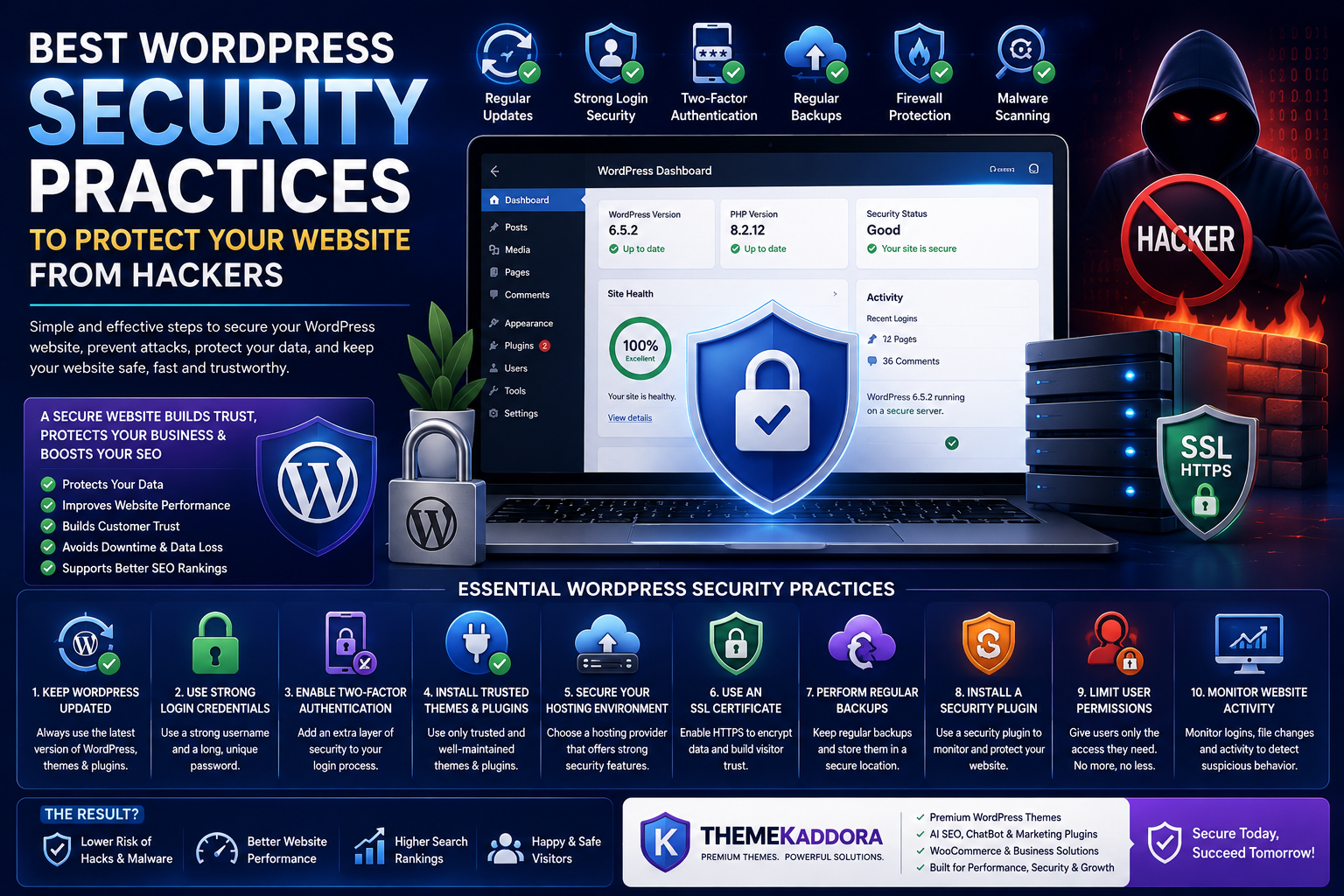
Best WordPress Security Practices to Protect Your Website from Hackers
Introduction
Your WordPress website is one of your most valuable business assets. Whether you run a blog, portfolio, business website, or WooCommerce store, your website contains valuable content, customer information, business data, and often serves as your primary source of leads or revenue. Unfortunately, this also makes WordPress websites a common target for hackers and automated attacks.
Many website owners believe that only large companies are targeted by cybercriminals. In reality, hackers frequently target small and medium-sized websites because they often have weaker security measures. A successful attack can result in stolen data, malware infections, search engine penalties, lost revenue, and damage to your brand's reputation.
The good news is that most WordPress security threats can be prevented with the right approach. By following a few essential security best practices, you can significantly reduce the risk of attacks while ensuring your website remains fast, reliable, and trustworthy.
In this guide, you'll learn the most effective WordPress security practices every website owner should implement to protect their site from hackers.
Why WordPress Security Matters
Cybersecurity is no longer optional. Every website connected to the internet faces constant attempts from bots and malicious actors looking for vulnerabilities.
A compromised website can lead to:
- Loss of customer trust
- Website downtime
- Data theft
- Malware infections
- Search engine blacklisting
- Reduced website traffic
- Financial losses
- Expensive recovery costs
Investing a little time in preventive security can save countless hours and expenses later.
Keep WordPress Updated
One of the simplest yet most effective security practices is keeping WordPress up to date.
Every update typically includes:
- Security patches
- Bug fixes
- Performance improvements
- Compatibility updates
- New features
Outdated WordPress installations are among the most common reasons websites become vulnerable to attacks.
Before applying updates, always create a complete backup so you can restore your website if necessary.
Use Strong Login Credentials
Weak usernames and passwords make it easier for attackers to gain unauthorized access.
Follow these best practices:
- Avoid using "admin" as your username.
- Create long, unique passwords.
- Use a password manager to generate secure passwords.
- Never reuse passwords across multiple websites.
- Change passwords periodically.
A strong password is your first line of defense.
Enable Two-Factor Authentication (2FA)
Even a strong password may not be enough if it becomes compromised.
Two-factor authentication adds an extra verification step by requiring:
- A one-time code
- An authentication app
- A trusted device
This additional layer significantly reduces the chances of unauthorized logins.
Install Trusted Themes and Plugins
Themes and plugins are essential parts of WordPress, but they can also introduce security risks if they are poorly maintained or downloaded from unreliable sources.
Always:
- Install products from reputable developers.
- Remove unused themes and plugins.
- Keep extensions updated.
- Review update history before installing.
- Avoid nulled or pirated themes and plugins.
Using trusted products minimizes security vulnerabilities and compatibility issues.
Secure Your Hosting Environment
Website security begins with reliable hosting.
Choose a hosting provider that offers:
- Regular server updates
- Malware monitoring
- Firewall protection
- Daily backups
- DDoS protection
- Secure server configurations
A secure hosting environment strengthens your website's overall defense.
Use an SSL Certificate
SSL encrypts the communication between your website and visitors.
Benefits include:
- Secure data transmission
- Visitor trust
- HTTPS support
- Better SEO signals
- Protection against data interception
Modern browsers also warn users when websites do not use HTTPS, making SSL essential for credibility.
Perform Regular Backups
No security strategy is complete without reliable backups.
Maintain:
- Daily backups for active websites
- Weekly backups for smaller websites
- Off-site backup storage
- Database backups
- Media file backups
If something goes wrong, backups allow you to restore your website quickly with minimal downtime.
Install a Security Plugin
A trusted security plugin can help monitor and protect your website by providing features such as:
- Malware scanning
- Firewall protection
- Login monitoring
- File integrity checks
- Security alerts
- Vulnerability detection
While security plugins improve protection, they should complement—not replace—good security practices.
Protect Against Brute Force Attacks
Brute force attacks involve automated attempts to guess usernames and passwords.
Reduce the risk by:
- Limiting failed login attempts
- Enabling CAPTCHA on login pages
- Using two-factor authentication
- Blocking suspicious IP addresses
- Monitoring login activity
These measures make unauthorized access significantly more difficult.
Scan for Malware Regularly
Malware can remain hidden for long periods while damaging your website or stealing sensitive information.
Schedule regular scans to detect:
- Malicious code
- Suspicious file changes
- Unauthorized scripts
- Hidden backdoors
- Spam injections
Early detection allows you to respond before major damage occurs.
Limit User Permissions
Not every user needs administrator access.
Assign roles based on responsibilities:
- Administrator
- Editor
- Author
- Contributor
- Subscriber
Grant only the permissions necessary for each user's tasks. This principle of least privilege helps reduce accidental or malicious changes.
Monitor Website Activity
Keeping an eye on your website helps identify unusual behavior before it becomes a serious issue.
Monitor:
- Login attempts
- Plugin changes
- Theme updates
- File modifications
- User activity
- Error logs
Regular monitoring helps you respond quickly to suspicious events.
Common Security Mistakes to Avoid
Avoid these common mistakes:
- Using weak passwords
- Ignoring WordPress updates
- Installing pirated themes or plugins
- Keeping unused plugins active
- Skipping website backups
- Giving every user administrator access
- Ignoring SSL certificates
- Never scanning for malware
Preventing these mistakes dramatically improves website security.
Why ThemeKaddora Prioritizes Security
At ThemeKaddora, security is considered an essential part of website development rather than an afterthought.
ThemeKaddora products are designed with:
- Clean coding standards
- Regular updates
- Performance optimization
- Secure development practices
- WooCommerce compatibility
- SEO-friendly architecture
In addition to premium WordPress themes, ThemeKaddora offers an expanding ecosystem of AI-powered plugins for SEO, WooCommerce, analytics, automation, and business intelligence—helping businesses build websites that are both powerful and reliable.
Conclusion
Website security is an ongoing process, not a one-time task. By keeping WordPress updated, using strong login credentials, enabling two-factor authentication, performing regular backups, installing trusted themes and plugins, and monitoring your website consistently, you can dramatically reduce the risk of cyberattacks.
A secure website not only protects your business and customers but also improves user trust, supports better SEO performance, and ensures long-term stability. Investing in security today helps safeguard your online presence for years to come.
Frequently Asked Questions
1. Why is WordPress security important?
It protects your website from hackers, malware, data theft, downtime, and search engine penalties.
2. How often should I update WordPress?
Install updates as soon as they are available after creating a complete backup.
3. Is two-factor authentication necessary?
Yes. It provides an additional layer of protection beyond passwords.
4. How often should I back up my website?
Daily for active websites and at least weekly for smaller websites.
5. What is a brute force attack?
It's an automated attempt to guess usernames and passwords by repeatedly trying different combinations.
6. Does SSL improve website security?
Yes. SSL encrypts data between your website and visitors while also improving user trust.
7. Should I remove unused plugins?
Yes. Unused plugins can become security risks if they remain installed and outdated.
8. Can malware affect SEO?
Yes. Malware infections may result in search engine warnings, lower rankings, or website blacklisting.
9. Why choose ThemeKaddora?
ThemeKaddora develops premium themes and AI-powered WordPress solutions using clean coding practices, regular updates, SEO-friendly architecture, and business-focused features that support long-term website security and performance.
Comments (0)