
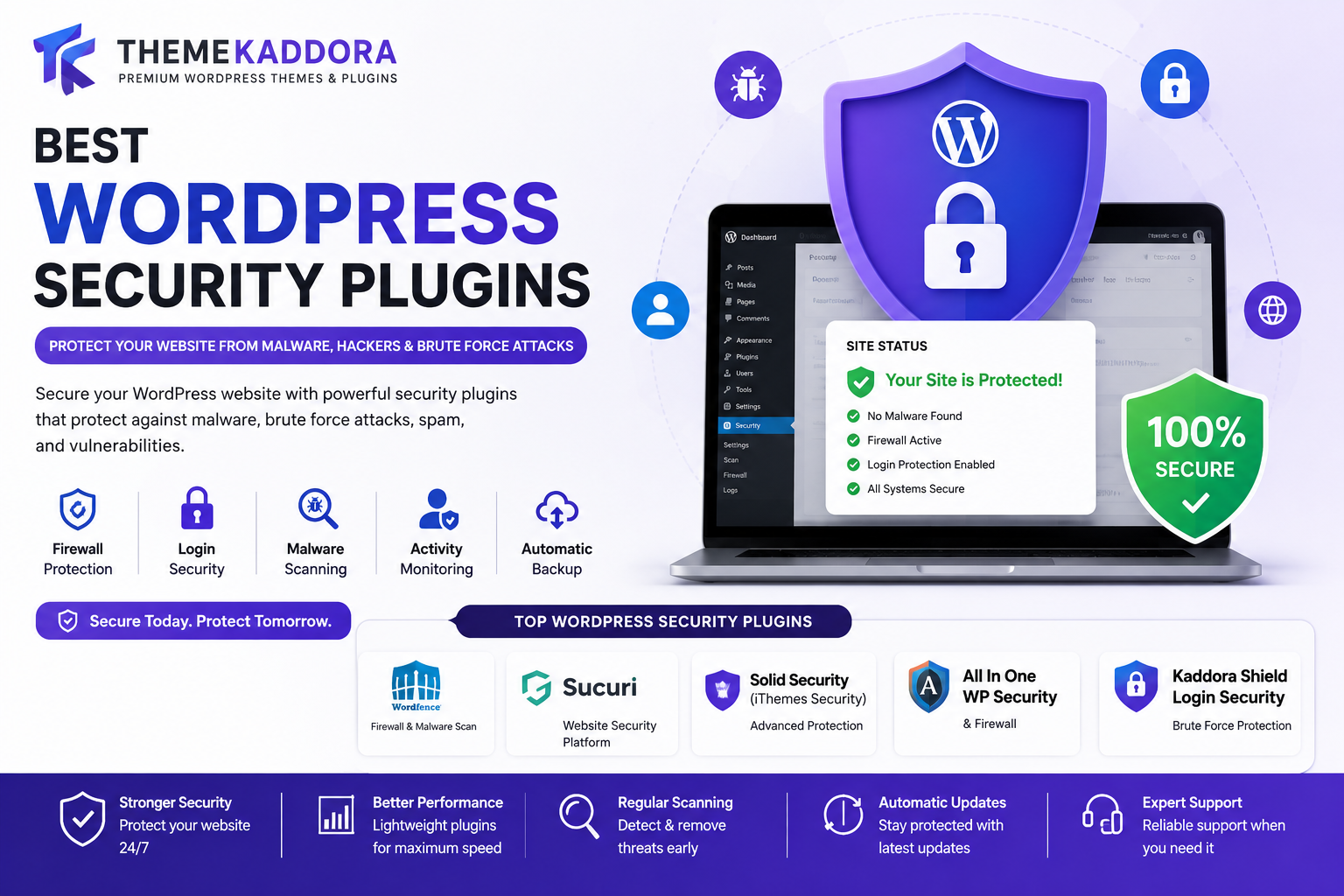
Best WordPress Security Plugins: Protect Your Website from Malware, Hackers & Brute Force Attacks
Introduction
WordPress powers more than 40% of websites worldwide, making it one of the most popular content management systems on the internet. However, its popularity also makes it a common target for hackers, malware infections, brute force attacks, spam bots, and security vulnerabilities.
Every day, thousands of WordPress websites experience attacks that can result in data theft, SEO spam, website defacement, customer data exposure, and revenue loss.
Whether you run a blog, business website, WooCommerce store, membership platform, educational portal, or SaaS website, security should be one of your highest priorities.
Fortunately, WordPress security plugins provide powerful tools to help protect websites against cyber threats.
In this guide, we'll explore the best WordPress security plugins, essential security features, and how to protect your website from modern online threats.
Why WordPress Security Matters
Website security affects:
Customer trust
Search engine rankings
Business reputation
Revenue generation
User data protection
A compromised website can result in:
Malware infections
Blacklisting by Google
Lost traffic
Lost customers
Legal issues
Investing in website security is far less expensive than recovering from a successful attack.
Common WordPress Security Threats
Brute Force Attacks
Hackers attempt thousands of username and password combinations until they gain access.
Common targets include:
Admin accounts
Login pages
WooCommerce accounts
Malware Infections
Malware can:
Redirect visitors
Inject spam links
Steal customer information
Damage SEO rankings
SQL Injection
Attackers attempt to manipulate database queries and gain access to sensitive information.
Cross-Site Scripting (XSS)
XSS attacks inject malicious scripts into websites and can compromise user data.
Spam Bots
Spam attacks can flood:
Contact forms
Registration pages
Comment sections
This affects performance and user experience.
Benefits of Using Security Plugins
Security plugins help:
Block malicious traffic
Detect malware
Monitor suspicious activity
Protect login pages
Prevent brute force attacks
Improve website security
They provide automated protection without requiring advanced technical knowledge.
1. Wordfence Security
Wordfence is one of the most popular WordPress security plugins.
Features
Firewall protection
Malware scanning
Login security
Threat intelligence
Live traffic monitoring
Benefits
Strong website protection
Detailed security reports
Large user community
2. Kaddora Shield Login Security
Kaddora Shield Login Security focuses on protecting WordPress login areas.
Features
Login protection
Brute force prevention
IP blocking
Login activity monitoring
Firewall integration
Benefits
Enhanced admin security
Reduced attack risks
Easy configuration
Ideal for business websites and WooCommerce stores.
3. Sucuri Security
Sucuri offers comprehensive website security monitoring.
Features
Malware detection
Security auditing
File integrity monitoring
Firewall services
Benefits
Strong malware protection
Website monitoring
Incident response tools
4. All In One WP Security
A popular free security plugin.
Features
Login protection
User account security
Database security
File protection
Benefits
Beginner friendly
Free security tools
Comprehensive settings
5. Solid Security (Formerly iThemes Security)
Solid Security offers multiple protection layers.
Features
Two-factor authentication
Login security
Malware scanning
User activity logs
Benefits
Enterprise-grade protection
Advanced security controls
Essential Security Features Every Website Needs
Login Protection
Protect:
Admin accounts
User accounts
WooCommerce customers
Features include:
Login limits
Captcha
Two-factor authentication
Malware Scanning
Regular scans help detect:
Malicious files
Backdoors
SEO spam
Infected scripts
Early detection prevents larger problems.
Firewall Protection
Firewalls block:
Malicious IP addresses
Bot attacks
Exploit attempts
Firewalls provide a critical security layer.
Activity Monitoring
Track:
User logins
File changes
Plugin updates
Security events
Monitoring improves visibility.
IP Blocking
Block suspicious users automatically.
Benefits include:
Reduced attacks
Better performance
Improved security
WordPress Security Best Practices
Use Strong Passwords
Avoid:
Admin123
Password123
Weak credentials
Use unique passwords with letters, numbers, and symbols.
Enable Two-Factor Authentication
2FA provides an additional security layer.
Even if passwords are compromised, attackers cannot access accounts easily.
Keep Plugins Updated
Outdated plugins are one of the most common security risks.
Update:
Themes
Plugins
WordPress Core
Regularly.
Use Secure Hosting
Choose hosting providers that offer:
Firewalls
Malware scanning
Daily backups
Quality hosting improves security.
Backup Your Website
Backups help recover websites quickly after attacks.
Recommended backup frequency:
Daily
Weekly
Real-time for ecommerce sites
Security for WooCommerce Stores
WooCommerce websites require extra protection because they handle:
Customer accounts
Payment information
Order data
Important protections include:
Secure checkout
Login protection
Fraud prevention
SSL certificates
Security directly affects customer trust.
SEO Benefits of Website Security
Security impacts SEO.
Benefits include:
Better user trust
Improved rankings
Reduced malware risks
Better site performance
Google may penalize infected websites.
Keeping your website secure helps protect organic traffic.
Common Security Mistakes
Using "admin" as Username
Attackers often target default usernames.
Create unique administrator accounts.
Ignoring Updates
Old software creates vulnerabilities.
Keep everything updated.
Installing Untrusted Plugins
Only download plugins from reputable sources.
Not Using SSL
HTTPS is essential for modern websites.
SSL protects data transmission.
No Security Monitoring
Without monitoring, attacks may go unnoticed.
Regular scanning helps identify problems quickly.
Future of WordPress Security
Security trends include:
AI-powered threat detection
Advanced bot protection
Automated vulnerability scanning
Behavioral analysis
Real-time malware prevention
Website security will continue evolving as threats become more sophisticated.
Why Choose Kaddora Shield Login Security?
Kaddora Shield Login Security is designed to provide powerful login protection for WordPress websites.
Features include:
Brute force protection
Login activity tracking
IP blocking
Secure authentication
Easy setup
Lightweight performance
It's ideal for business websites, ecommerce stores, membership platforms, blogs, and agencies looking for reliable security.
Conclusion
Website security is no longer optional.
WordPress websites face constant threats from hackers, malware, spam bots, and automated attacks. Security plugins help protect your website, customers, and business reputation.
Whether you choose Wordfence, Sucuri, Solid Security, All In One WP Security, or Kaddora Shield Login Security, implementing strong security measures can significantly reduce risks and improve website reliability.
A secure website protects your traffic, rankings, revenue, and customers.
Frequently Asked Questions
What is the best WordPress security plugin?
Wordfence, Sucuri, Solid Security, and Kaddora Shield Login Security are among the most popular options.
Do I need a security plugin for WordPress?
Yes. Every WordPress website should use security measures to protect against attacks.
Can security plugins stop hackers?
They significantly reduce risks by blocking common attack methods and monitoring suspicious activity.
Does website security affect SEO?
Yes. Secure websites perform better and avoid penalties related to malware infections.
What is brute force protection?
Brute force protection blocks repeated login attempts from attackers trying to guess passwords.
Should WooCommerce stores use security plugins?
Absolutely. WooCommerce stores handle customer data and require strong security protection.
Is two-factor authentication necessary?
Yes. It adds an important extra layer of security.
Can security plugins slow down websites?
High-quality plugins are optimized for performance and have minimal impact.
How often should I scan my website?
Daily scanning is recommended for most websites.
Is SSL required for WordPress?
Yes. SSL protects user data and improves trust and SEO.
Comments (0)