
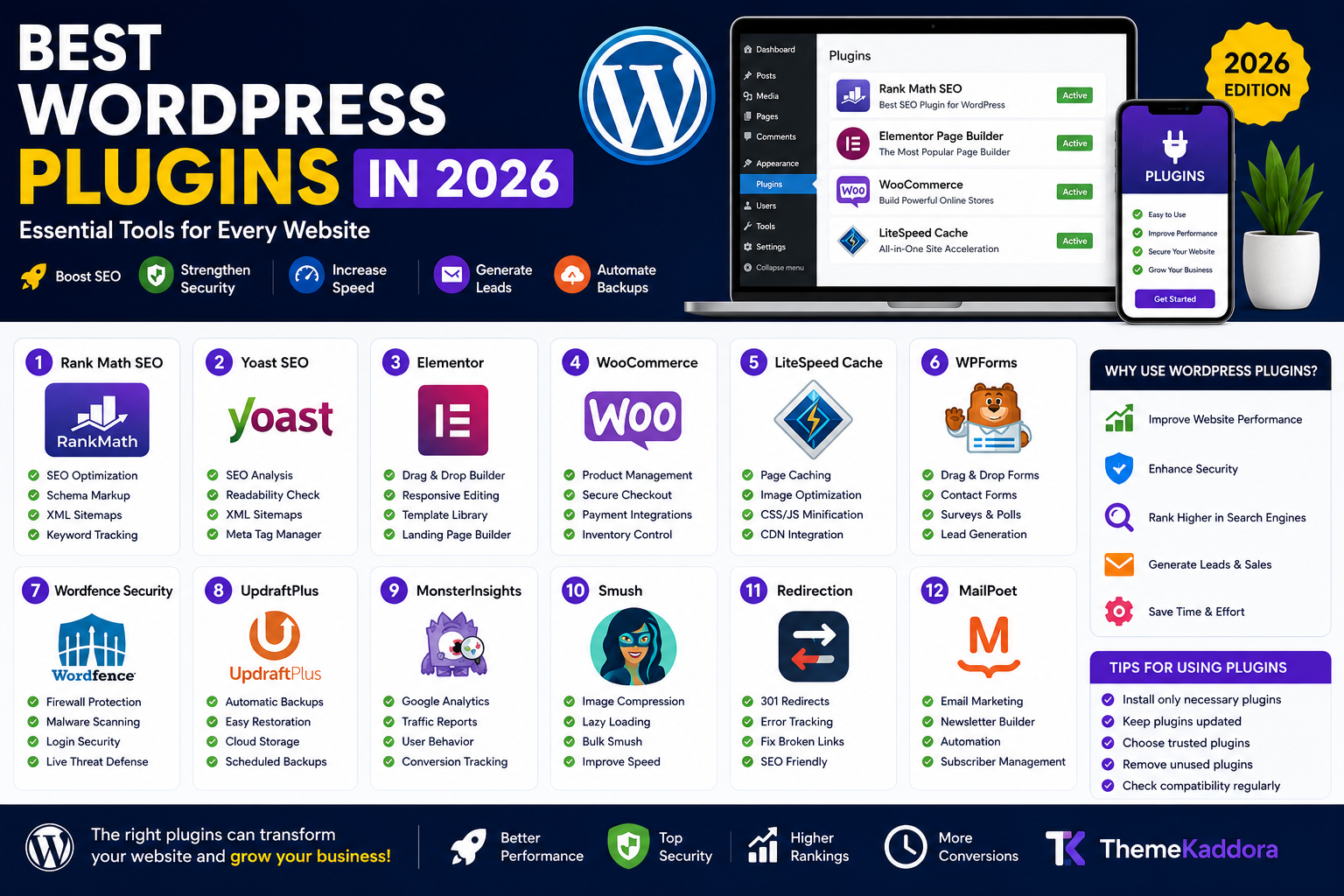
Best WordPress Plugins in 2026: Essential Tools for Every Website
Introduction
WordPress powers millions of websites worldwide, and one of the main reasons for its popularity is its extensive plugin ecosystem. Plugins allow website owners to add powerful features without writing code, making WordPress flexible enough for blogs, business websites, online stores, portfolios, and membership platforms.
However, with more than 60,000 plugins available, finding the right ones can be overwhelming. In this guide, we'll explore the best WordPress plugins in 2026 that can improve SEO, security, speed, lead generation, and website management.
Why WordPress Plugins Matter
Plugins help website owners:
Improve SEO
Increase website speed
Strengthen security
Generate leads
Manage backups
Create online stores
Enhance user experience
The right plugin combination can dramatically improve your website's performance and growth.
1. Rank Math SEO
Rank Math remains one of the most powerful SEO plugins available.
Features
Keyword optimization
XML sitemaps
Schema markup
Redirect manager
WooCommerce SEO
Best For
Bloggers
eCommerce stores
2. Yoast SEO
Yoast SEO continues to be a trusted solution for search optimization.
Benefits
SEO analysis
Readability checks
XML sitemap generation
Meta tag management
3. Elementor
Elementor is one of the most popular page builders for WordPress.
Features
Drag-and-drop editor
Responsive design tools
Template library
Landing page builder
4. WooCommerce
WooCommerce transforms WordPress into a complete eCommerce platform.
Features
Product management
Secure checkout
Payment integrations
Inventory control
5. LiteSpeed Cache
Website speed is critical for SEO and user experience.
Benefits
Page caching
Image optimization
CSS and JS minification
CDN integration
6. WPForms
WPForms makes form creation simple.
Popular Uses
Lead generation forms
Surveys
Registration forms
7. Wordfence Security
Protect your website against cyber threats.
Features
Malware scanning
Firewall protection
Login security
Real-time threat monitoring
8. UpdraftPlus
Every website needs a backup solution.
Benefits
Automatic backups
Easy restoration
Cloud storage integration
9. MonsterInsights
Connect Google Analytics with WordPress easily.
Features
Traffic reports
User behavior tracking
Conversion monitoring
10. Smush
Image optimization is essential for performance.
Benefits
Image compression
Lazy loading
Faster page speed
11. Redirection
Manage redirects and prevent broken pages.
Features
301 redirects
Error tracking
SEO preservation
12. MailPoet
Build and manage email marketing campaigns directly from WordPress.
How to Choose the Best Plugin
Before installing a plugin, ask:
Is it regularly updated?
Active plugins are generally more secure and compatible.
Does it have positive reviews?
Check user feedback before installation.
Will it impact performance?
Avoid heavy plugins that slow down your website.
Is it compatible with your theme?
Always verify compatibility.
Common Plugin Mistakes
Many website owners:
Install too many plugins
Ignore updates
Use duplicate functionality plugins
Download plugins from untrusted sources
Keep your plugin stack lean and efficient.
Free vs Premium Plugins
Free Plugins
Advantages:
No cost
Great for beginners
Basic functionality
Premium Plugins
Advantages:
Advanced features
Better support
Frequent updates
Enhanced security
Conclusion
The best WordPress plugins help improve your website's SEO, speed, security, and user experience. Plugins like Rank Math, Elementor, WooCommerce, LiteSpeed Cache, Wordfence, and UpdraftPlus remain essential choices for most websites in 2026.
Choose plugins carefully, update them regularly, and focus on quality rather than quantity to maximize your website's performance.
Frequently Asked Questions
How many plugins should a WordPress website have?
There is no fixed number. Use only plugins that provide essential functionality.
Can too many plugins slow down WordPress?
Yes. Excessive or poorly coded plugins can negatively affect performance.
Which plugin is best for SEO?
Rank Math and Yoast SEO are among the most popular SEO plugins.
What is the best security plugin?
Wordfence is one of the most trusted security plugins for WordPress.
Do premium plugins improve performance?
Many premium plugins offer advanced optimization features and dedicated support.
How often should I update plugins?
Update plugins whenever new versions are released to maintain security and compatibility.
Comments (0)