
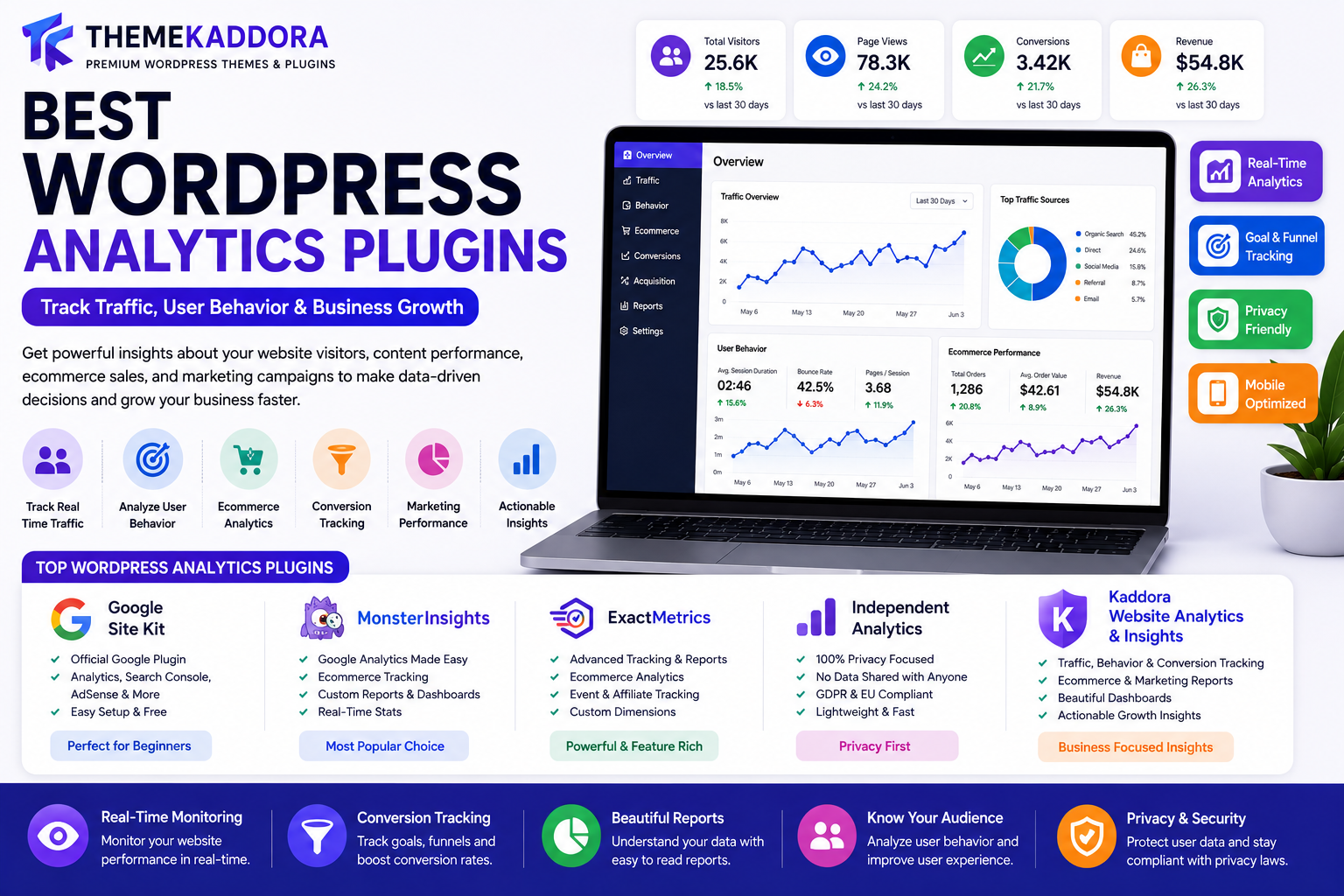
Best WordPress Analytics Plugins: Track Traffic, User Behavior & Business Growth
Introduction
Understanding how visitors interact with your website is essential for online success. Without analytics, website owners are making decisions based on assumptions rather than real data.
Whether you're running a blog, ecommerce store, SaaS platform, business website, agency, educational portal, membership site, or nonprofit organization, analytics provide valuable insights that help improve performance, increase conversions, and drive growth.
Analytics reveal:
Where visitors come from
Which pages perform best
How users navigate your site
What content drives conversions
Which marketing channels generate revenue
This is where WordPress Analytics Plugins become essential.
Analytics plugins help website owners track performance, monitor user behavior, analyze sales, measure marketing effectiveness, and make smarter business decisions.
In this guide, we'll explore the best WordPress analytics plugins, essential metrics, optimization strategies, and how analytics can accelerate website growth.
Why Website Analytics Matter
Analytics help businesses:
Understand visitors
Improve user experience
Increase conversions
Measure ROI
Optimize marketing campaigns
Grow revenue
Improve content strategy
Make informed decisions
Data-driven businesses often outperform competitors.
Benefits of Using Analytics Plugins
Better Decision-Making
Analytics provide real data instead of guesswork.
You can understand:
User preferences
Traffic sources
Conversion paths
This leads to better business decisions.
Improved Marketing Performance
Analytics help measure:
SEO performance
Social media traffic
Email campaign results
Paid advertising ROI
Marketing budgets become more effective.
Increased Conversions
Understanding user behavior helps identify:
Conversion barriers
Weak pages
User friction
Optimization improves results.
Revenue Growth
Analytics help businesses:
Identify opportunities
Improve customer journeys
Increase sales
Better insights often lead to higher revenue.
1. Google Site Kit
Google Site Kit is Google's official WordPress analytics plugin.
Features
Google Analytics integration
Search Console integration
PageSpeed Insights
AdSense reporting
Benefits
Free solution
Trusted data source
Easy setup
Suitable for most websites.
2. MonsterInsights
One of the most popular analytics plugins.
Features
Google Analytics integration
Ecommerce tracking
Custom reports
User behavior analysis
Benefits
Beginner-friendly
Detailed reporting
WooCommerce support
3. ExactMetrics
A powerful analytics solution for WordPress.
Features
Visitor tracking
Ecommerce analytics
Event tracking
Campaign reporting
Benefits
Comprehensive data
Easy reporting
4. Independent Analytics
A privacy-focused analytics plugin.
Features
No third-party tracking
GDPR-friendly analytics
Visitor reports
Traffic analysis
Benefits
Privacy compliance
Fast performance
5. Kaddora Website Analytics & Insights
Kaddora Website Analytics & Insights provides business-focused reporting and growth tracking.
Features
Traffic analytics
Conversion tracking
User behavior reports
Ecommerce analytics
Marketing performance dashboards
Growth insights
Benefits
Actionable reports
Easy-to-understand dashboards
Business intelligence features
Ideal for businesses, agencies, and ecommerce stores.
Essential Metrics Every Website Should Track
Website Traffic
Understand:
Total visitors
Sessions
Unique users
Traffic trends reveal growth opportunities.
Traffic Sources
Identify where visitors come from:
Organic search
Social media
Direct traffic
Email campaigns
Referrals
Source analysis improves marketing strategy.
Bounce Rate
Bounce rate measures visitors who leave after viewing one page.
Lower bounce rates often indicate better engagement.
Conversion Rate
Track:
Sales
Leads
Registrations
Downloads
Conversion tracking is critical for growth.
Average Session Duration
Longer sessions often indicate:
Better engagement
Higher interest
Stronger content
Analytics for Different Website Types
Blogs
Track:
Popular articles
Traffic growth
Search performance
Content strategy becomes more effective.
WooCommerce Stores
Monitor:
Revenue
Product performance
Customer behavior
Sales data drives optimization.
SaaS Websites
Track:
Lead generation
Trial signups
User journeys
Data improves customer acquisition.
Agencies
Measure:
Lead quality
Marketing campaigns
Conversion rates
Client acquisition becomes more predictable.
Educational Websites
Analyze:
Course registrations
Student engagement
Content performance
Insights improve learning experiences.
Ecommerce Analytics
WooCommerce stores should monitor:
Revenue Tracking
Track:
Total revenue
Average order value
Product sales
Revenue insights improve profitability.
Product Performance
Identify:
Best-selling products
Underperforming products
Optimization improves inventory decisions.
Customer Behavior
Analyze:
Purchase journeys
Cart abandonment
Repeat purchases
Customer insights improve conversions.
SEO Benefits of Analytics Plugins
Analytics support SEO by helping website owners understand:
Organic traffic growth
Keyword performance
Landing page effectiveness
User engagement
Data helps improve rankings over time.
Conversion Features That Drive Growth
Funnel Tracking
Understand:
User journeys
Drop-off points
Conversion paths
Funnels reveal optimization opportunities.
Goal Tracking
Measure:
Leads
Sales
Downloads
Registrations
Goals help evaluate success.
Event Tracking
Track interactions such as:
Button clicks
Video views
Form submissions
Detailed insights improve decision-making.
Heatmaps
Heatmaps show:
User clicks
Scroll behavior
Attention areas
Visual insights improve UX.
Common Analytics Mistakes
Not Tracking Goals
Without goals, measuring success becomes difficult.
Ignoring Conversion Data
Traffic alone doesn't guarantee business growth.
Focus on results.
Not Monitoring Ecommerce Metrics
Revenue tracking is essential for online stores.
Overlooking Mobile Users
Mobile traffic often represents the majority of visitors.
Making Decisions Without Data
Analytics should guide strategy.
Modern Analytics Trends
AI-Powered Insights
Artificial intelligence helps identify patterns and opportunities.
Predictive Analytics
Predict future trends using historical data.
Privacy-Focused Tracking
Privacy regulations continue influencing analytics tools.
Real-Time Reporting
Businesses increasingly rely on live performance monitoring.
Customer Journey Mapping
Understanding complete user journeys improves optimization.
Why Choose Kaddora Website Analytics & Insights?
Kaddora Website Analytics & Insights helps businesses understand performance and identify growth opportunities.
Features include:
Traffic monitoring
Conversion tracking
Ecommerce analytics
Marketing dashboards
User behavior reports
Growth recommendations
Whether you're running a blog, WooCommerce store, SaaS platform, educational website, or agency, Kaddora Website Analytics & Insights provides actionable intelligence for growth.
Conclusion
Analytics are essential for making smarter business decisions and improving website performance.
Whether you choose Google Site Kit, MonsterInsights, ExactMetrics, Independent Analytics, or Kaddora Website Analytics & Insights, implementing analytics helps uncover opportunities, improve user experiences, and increase conversions.
Data-driven decisions consistently outperform assumptions.
The right analytics plugin can help transform your website into a growth-focused business asset.
Frequently Asked Questions
What is the best WordPress analytics plugin?
Google Site Kit, MonsterInsights, ExactMetrics, Independent Analytics, and Kaddora Website Analytics & Insights are among the most popular options.
Why are website analytics important?
Analytics help understand visitors, improve marketing, and increase conversions.
Can analytics improve SEO?
Yes. Analytics provide insights that help optimize content and user experiences.
What metrics should I track?
Traffic, conversions, bounce rate, session duration, and traffic sources are essential.
Do analytics plugins support WooCommerce?
Most major analytics plugins include ecommerce tracking.
What is conversion tracking?
Conversion tracking measures actions such as purchases, signups, and form submissions.
Are analytics plugins beginner-friendly?
Most modern analytics plugins are designed for users of all skill levels.
What is a bounce rate?
Bounce rate measures visitors who leave after viewing only one page.
Can analytics increase sales?
Yes. Better insights help improve marketing and conversion optimization.
Why choose Kaddora Website Analytics & Insights?
It provides business-focused reporting, conversion tracking, growth dashboards, and actionable insights.
Comments (0)