
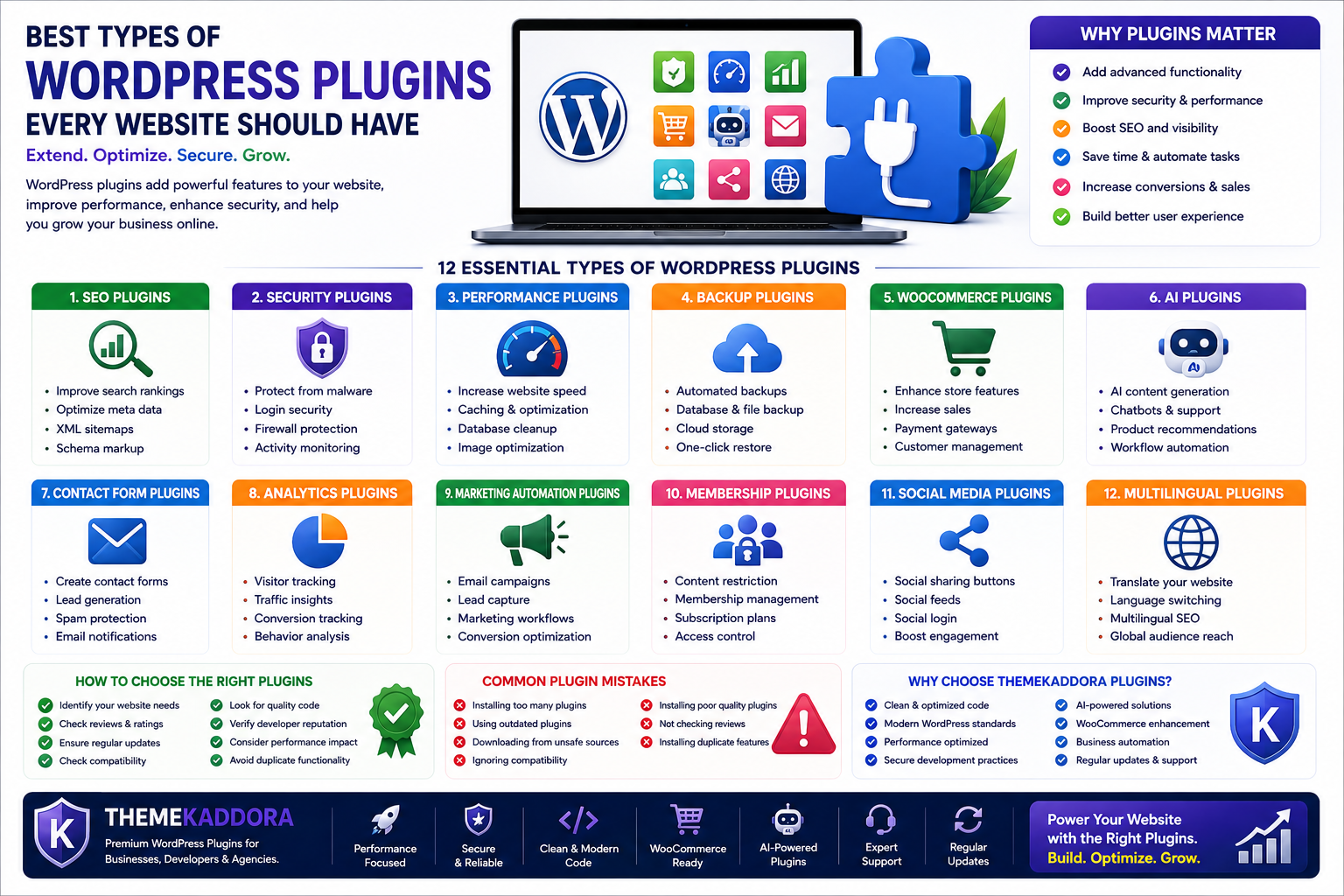
Best Types of WordPress Plugins Every Website Should Have
Introduction
WordPress has become one of the most popular website platforms because of its flexibility and powerful plugin ecosystem. While WordPress provides the basic foundation for creating websites, plugins allow users to extend functionality and transform simple websites into advanced digital platforms.
Whether you are running a personal blog, business website, online store, portfolio, membership platform, or SaaS application, the right WordPress plugins can improve performance, security, user experience, marketing, and business growth.
However, with thousands of plugins available, choosing the right type of plugin can be confusing.
Every website has different requirements, but some plugin categories are essential for building a secure, optimized, and successful WordPress website.
In this guide, you will learn about the most important types of WordPress plugins, their benefits, common use cases, and how they help websites achieve better results.
Why WordPress Plugins Are Important
A basic WordPress installation provides essential website functionality, but plugins help add advanced capabilities.
Plugins allow website owners to:
Improve website security
Increase search engine visibility
Create online stores
Optimize website speed
Generate leads
Automate business processes
Analyze visitor behavior
Improve customer experience
Instead of developing every feature from scratch, plugins provide ready-to-use solutions.
1. SEO WordPress Plugins
SEO plugins are among the most important tools for any website.
They help optimize websites for search engines and improve organic visibility.
Features of SEO Plugins:
Meta title optimization
Meta description management
XML sitemap creation
Schema markup
Keyword analysis
Content optimization
Search appearance control
Who Needs SEO Plugins?
SEO plugins are useful for:
Bloggers
Businesses
Agencies
eCommerce stores
Content creators
A well-optimized website has a better chance of attracting organic traffic.
2. Security WordPress Plugins
Website security should be a priority for every WordPress website.
Security plugins help protect websites from common threats.
Security Plugin Features:
Malware scanning
Firewall protection
Login protection
Two-factor authentication
Activity monitoring
Spam protection
Security alerts
Benefits:
Security plugins help:
Prevent unauthorized access
Protect customer information
Reduce security risks
Monitor suspicious activity
Every professional website should have security protection.
3. Performance Optimization Plugins
Website speed directly affects user experience and SEO performance.
Performance plugins help improve loading times.
Common Features:
Page caching
Browser caching
File compression
CSS optimization
JavaScript optimization
Database cleanup
Image optimization
Benefits:
A faster website provides:
Better user experience
Improved SEO performance
Lower bounce rates
Higher conversions
4. Backup WordPress Plugins
Backups protect your website from unexpected problems.
A backup plugin creates copies of your website data.
Backup Plugin Features:
Automated backups
Database backup
File backup
Cloud storage integration
Website restoration
Why Are Backup Plugins Important?
They help recover websites after:
Server failures
Malware attacks
Plugin conflicts
Accidental deletion
Update problems
Regular backups are essential for website safety.
5. WooCommerce Plugins
WooCommerce plugins help transform WordPress websites into powerful online stores.
They add advanced eCommerce features.
WooCommerce Plugin Categories:
Sales Enhancement Plugins
Features:
Product recommendations
Smart upselling
Cross-selling
Customer targeting
Analytics Plugins
Features:
Sales reports
Revenue tracking
Customer insights
Product performance analysis
Customer Management Plugins
Features:
Customer segmentation
Order management
Loyalty programs
WooCommerce plugins help businesses improve sales and customer experience.
6. AI WordPress Plugins
Artificial intelligence has become one of the fastest-growing areas in WordPress development.
AI plugins help automate tasks and improve productivity.
AI Plugin Features:
AI content generation
Chatbots
Customer support automation
Product recommendations
AI SEO assistance
Workflow automation
Benefits:
AI plugins help businesses:
Save time
Improve customer engagement
Automate repetitive tasks
Make smarter decisions
7. Contact Form Plugins
Contact forms help businesses communicate with website visitors.
They are useful for:
Lead generation
Customer inquiries
Support requests
Business communication
Common Features:
Drag-and-drop builder
Email notifications
Spam protection
Custom fields
Form integrations
Every business website should have an easy way for customers to contact them.
8. Analytics WordPress Plugins
Analytics plugins help website owners understand visitor behavior.
They provide insights about:
Traffic sources
User activity
Popular pages
Conversions
Sales performance
Analytics data helps businesses make better decisions.
9. Marketing Automation Plugins
Marketing plugins help businesses attract and convert customers.
Features:
Email campaigns
Lead capture
Customer segmentation
Marketing workflows
Conversion tracking
Automation reduces manual work and improves marketing efficiency.
10. Membership and Subscription Plugins
Membership plugins help create restricted-content websites.
Common use cases:
Online courses
Communities
Premium content
Subscription services
Features include:
User registration
Payment integration
Content restriction
Membership management
11. Social Media WordPress Plugins
Social media plugins connect websites with social platforms.
They provide:
Social sharing buttons
Social feeds
Social login
Content promotion
These plugins help increase audience engagement.
12. Multilingual WordPress Plugins
Multilingual plugins help websites support multiple languages.
They are useful for:
Global businesses
International stores
Educational websites
Features:
Translation management
Language switching
SEO-friendly translations
How to Choose the Right WordPress Plugins
Before installing plugins, consider:
Website Requirements
Choose plugins based on actual needs.
Plugin Quality
Check:
Reviews
Updates
Developer reputation
Documentation
Performance Impact
Choose optimized plugins that do not slow down your website.
Security Standards
Avoid outdated or unreliable plugins.
Common WordPress Plugin Mistakes
Avoid:
Installing unnecessary plugins
Using outdated plugins
Downloading from unsafe sources
Ignoring compatibility
Installing duplicate features
A smaller collection of high-quality plugins is better than many poorly optimized plugins.
Why Choose ThemeKaddora WordPress Plugins?
ThemeKaddora creates professional WordPress plugins designed for modern websites and businesses.
Our plugin solutions focus on:
Clean code architecture
Modern WordPress standards
Performance optimization
Secure development practices
AI-powered features
WooCommerce enhancement
Business automation
From improving online stores to adding intelligent automation, ThemeKaddora plugins help businesses build powerful and scalable WordPress websites.
Conclusion
WordPress plugins are essential tools for expanding website functionality. From SEO and security to WooCommerce, AI, analytics, and automation, plugins help businesses create powerful digital experiences.
Choosing the right plugin categories allows website owners to improve performance, protect their websites, increase conversions, and achieve long-term growth.
A smart plugin strategy is one of the foundations of a successful WordPress website.
Frequently Asked Questions
What are the most important types of WordPress plugins?
The most important plugin types include SEO plugins, security plugins, performance plugins, backup plugins, WooCommerce plugins, AI plugins, and analytics plugins.
Does every WordPress website need plugins?
Most websites benefit from plugins because they add important functionality beyond the default WordPress features.
Can too many WordPress plugins slow down a website?
Yes. Poorly optimized or unnecessary plugins can affect website performance.
Are premium WordPress plugins better?
Premium plugins often provide advanced features, regular updates, and professional support.
Which WordPress plugins are best for businesses?
Businesses often need SEO, security, analytics, WooCommerce, marketing automation, and AI-powered plugins.
Why choose ThemeKaddora plugins?
ThemeKaddora develops professional plugins with clean code, modern standards, performance optimization, security practices, and business-focused features.
Does ThemeKaddora create WooCommerce and AI plugins?
Yes. ThemeKaddora develops WooCommerce enhancement plugins, AI-powered solutions, analytics tools, automation plugins, and business productivity solutions.
Comments (0)