
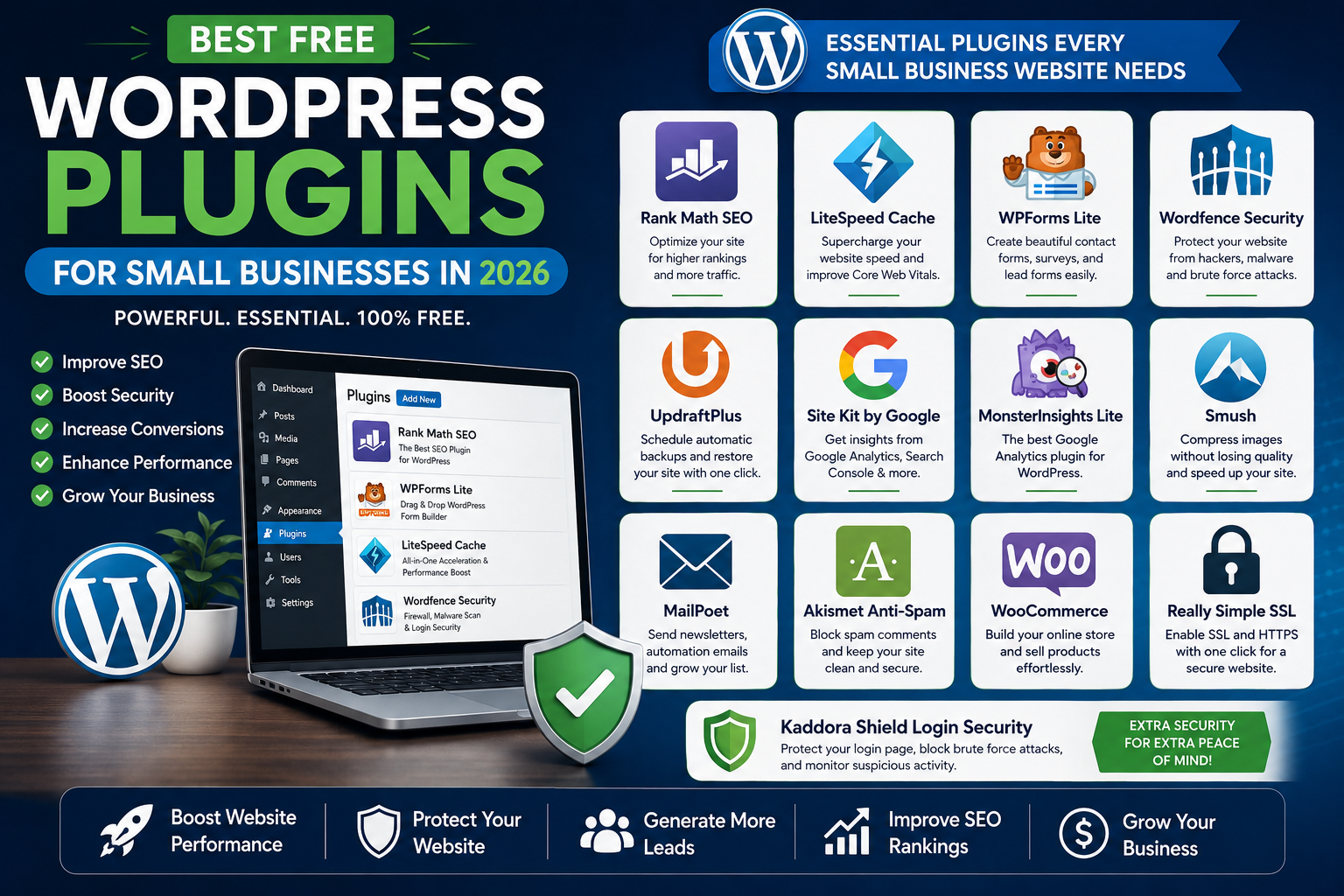
Best Free WordPress Plugins for Small Businesses in 2026
Running a successful small business website requires more than just a great design. To attract visitors, generate leads, improve customer engagement, and increase sales, you need the right set of WordPress plugins.
The good news is that many powerful WordPress plugins are available for free. These tools can help you improve SEO, website security, performance, email marketing, lead generation, analytics, and customer support without increasing your expenses.
In this guide, we'll explore the best free WordPress plugins for small businesses in 2026 and explain how each plugin can help your business grow.
Why Small Businesses Need WordPress Plugins
WordPress provides a strong foundation, but plugins extend functionality and help businesses achieve their goals.
Benefits include:
Better SEO rankings
Faster website performance
Improved security
Increased conversions
Better customer communication
Easier lead generation
Business automation
The right plugins can save time, reduce costs, and improve overall website effectiveness.
1. Rank Math SEO
SEO is essential for attracting organic traffic.
Key Features
On-page SEO analysis
XML sitemaps
Schema markup
Keyword optimization
Google Search Console integration
Why Small Businesses Need It
Rank Math helps improve search engine visibility and attract more potential customers.
Best For
Local businesses
Agencies
Blogs
Ecommerce stores
2. LiteSpeed Cache
Website speed directly impacts SEO and conversions.
Features
Page caching
Browser caching
Image optimization
CSS and JavaScript optimization
CDN support
Benefits
Faster load times
Better Core Web Vitals
Improved user experience
3. WPForms Lite
Every business website needs a contact form.
Features
Drag-and-drop builder
Contact forms
Inquiry forms
Mobile-friendly design
Benefits
Generate leads
Improve communication
Simplify customer inquiries
4. Wordfence Security
Security should be a priority for every business website.
Features
Firewall protection
Malware scanning
Login security
Threat detection
Benefits
Protect customer data
Prevent website hacks
Monitor suspicious activity
5. UpdraftPlus
Backups protect your business from unexpected disasters.
Features
Automatic backups
Cloud storage integration
Easy restoration
Scheduled backups
Benefits
Quick recovery
Data protection
Peace of mind
6. Site Kit by Google
Understanding website performance is critical.
Features
Google Analytics integration
Search Console data
PageSpeed Insights
AdSense reporting
Benefits
Data-driven decisions
Performance tracking
Better marketing insights
7. Elementor
Elementor remains one of the most popular page builders.
Features
Drag-and-drop editor
Responsive design
Landing page templates
Visual customization
Benefits
No coding required
Faster website creation
Professional design
8. Smush
Images often slow down websites.
Features
Image compression
Lazy loading
Bulk optimization
WebP support
Benefits
Faster pages
Better user experience
Improved SEO
9. MailPoet
Email marketing remains one of the highest ROI marketing channels.
Features
Newsletter creation
Subscriber management
Automated emails
Email analytics
Benefits
Build customer relationships
Increase repeat sales
Grow your email list
10. MonsterInsights Lite
Analytics help businesses understand customer behavior.
Features
Google Analytics dashboard
Traffic reports
User behavior tracking
Performance insights
Benefits
Better decision-making
Marketing optimization
Growth tracking
11. Akismet Anti-Spam
Spam comments waste time and resources.
Features
Automatic spam filtering
Comment protection
Contact form spam prevention
Benefits
Cleaner website
Improved user experience
Reduced moderation workload
12. WooCommerce
For businesses selling products online.
Features
Product management
Shopping cart
Payment gateways
Order management
Benefits
Create online stores
Manage products easily
Increase sales
13. Really Simple SSL
Website security starts with HTTPS.
Features
SSL detection
HTTPS redirection
Security improvements
Benefits
Better trust
Improved SEO
Secure connections
14. Spectra
Spectra extends the Gutenberg editor.
Features
Advanced blocks
Design flexibility
Faster page creation
Benefits
Improved website design
Better content presentation
15. Kaddora Shield Login Security (Recommended)
Modern businesses face increasing login attacks.
Features
Login protection
Brute force prevention
Firewall security
Suspicious activity monitoring
IP blocking
Benefits
Enhanced website protection
Secure administrator access
Reduced security risks
How to Choose the Right Plugins
Avoid installing plugins simply because they are popular.
Consider:
Business Goals
Do you need:
More traffic?
Better security?
Faster performance?
Lead generation?
Compatibility
Ensure plugins work with:
Your theme
WordPress version
Other plugins
Support and Updates
Choose actively maintained plugins.
Common Plugin Mistakes
Installing Too Many Plugins
Too many plugins can:
Slow websites
Create conflicts
Increase security risks
Ignoring Updates
Outdated plugins can expose vulnerabilities.
Using Low-Quality Plugins
Always choose reputable developers.
Ideal Plugin Stack for Small Businesses
SEO
Rank Math
Speed
LiteSpeed Cache
Smush
Security
Wordfence
Kaddora Shield Login Security
Forms
WPForms Lite
Analytics
Site Kit
MonsterInsights
Backups
UpdraftPlus
This combination covers most business website requirements.
Future Trends in WordPress Plugins
By 2026 and beyond, plugins are increasingly adopting:
AI automation
Enhanced security monitoring
Performance optimization
Predictive analytics
Customer behavior tracking
Businesses embracing modern tools will gain a competitive advantage.
Conclusion
WordPress plugins help small businesses compete effectively online. By selecting the right combination of SEO, security, performance, analytics, and marketing tools, businesses can improve visibility, increase conversions, and deliver a better customer experience.
The plugins listed above represent some of the most valuable free tools available for WordPress users in 2026. Start with the essentials, focus on performance and security, and expand functionality as your business grows.
Frequently Asked Questions
How many plugins should a small business website use?
Use only the plugins you truly need. Quality matters more than quantity.
Are free WordPress plugins safe?
Yes, if they come from trusted developers and are regularly updated.
Which free plugin is best for SEO?
Rank Math is one of the most popular and feature-rich free SEO plugins.
What plugin improves website speed?
LiteSpeed Cache and Smush are excellent performance optimization tools.
Which plugin is best for website security?
Wordfence and Kaddora Shield Login Security provide strong website protection.
Comments (0)