
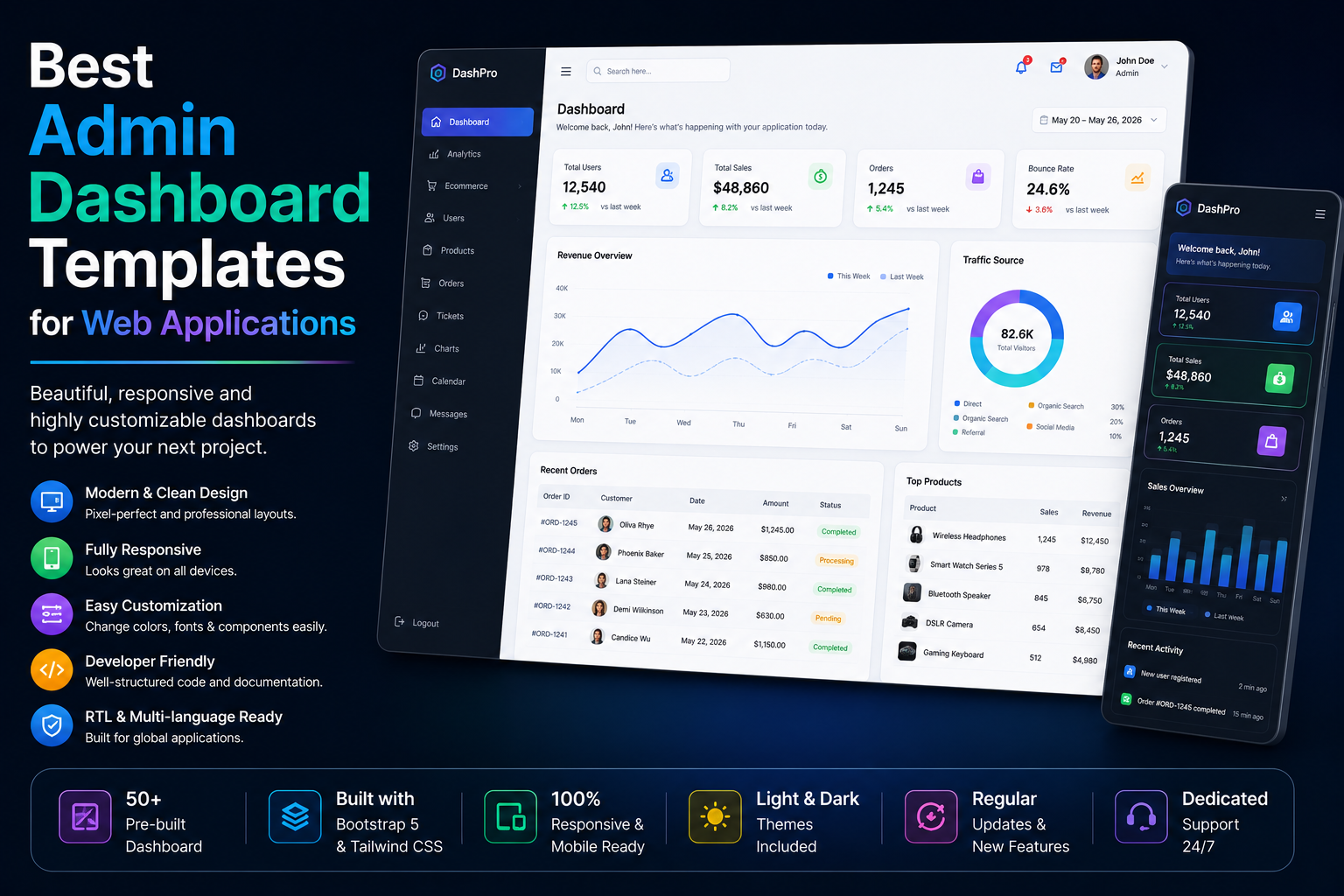
Best Admin Dashboard Templates for Web Applications
Introduction
Every modern web application needs an efficient admin dashboard. Whether you're building a SaaS platform, CRM system, eCommerce website, project management tool, analytics platform, or business application, a well-designed admin dashboard helps users manage data efficiently.
Admin dashboard templates save developers hundreds of development hours by providing pre-built layouts, UI components, charts, forms, tables, authentication pages, and responsive designs.
In this guide, you'll learn why admin dashboard templates are essential and how to choose the best one for your project.
What Is an Admin Dashboard Template?
An admin dashboard template is a ready-made user interface designed for managing web applications.
It typically includes:
Analytics dashboards
User management pages
Data tables
Forms
Charts and graphs
Authentication screens
Settings pages
Notification systems
These templates allow developers to focus on functionality rather than UI design.
Why Use Admin Dashboard Templates?
Faster Development
Build applications significantly faster.
Professional Design
Modern dashboards provide polished user interfaces.
Better User Experience
Well-organized layouts improve usability.
Responsive Layouts
Work seamlessly across desktop, tablet, and mobile devices.
Cost Savings
Reduce development and design expenses.
Key Features to Look For
Responsive Design
Users access dashboards from multiple devices.
Dark and Light Mode
Modern applications often support both viewing options.
Data Visualization
Charts and graphs improve data analysis.
Authentication Pages
Secure login and registration screens are essential.
Customizable Components
Developers should easily modify UI elements.
Popular Types of Dashboard Templates
SaaS Dashboard Templates
Perfect for:
Subscription platforms
Customer portals
Features:
User analytics
Subscription management
Customer dashboards
CRM Dashboard Templates
Useful for:
Sales teams
Marketing agencies
Business management systems
Features:
Lead tracking
Customer management
Sales reporting
eCommerce Dashboard Templates
Ideal for:
Online stores
Features:
Product management
Order tracking
Revenue analytics
Project Management Dashboards
Designed for:
Teams
Freelancers
Features:
Task tracking
Team collaboration
Project reports
Analytics Dashboards
Best for:
Business intelligence
Reporting systems
Data management platforms
Benefits for Developers
Developers gain:
Faster project delivery
Reusable components
Better code organization
Improved scalability
Reduced UI design work
Technologies Commonly Used
Modern dashboard templates often use:
HTML5
Provides structure and responsiveness.
Bootstrap
Creates mobile-friendly layouts.
JavaScript
Adds dynamic functionality.
CSS Frameworks
Improve design consistency.
Chart Libraries
Enable advanced analytics and reporting.
Common Mistakes When Choosing Templates
Avoid:
Poor mobile responsiveness
Outdated designs
Slow-loading dashboards
Limited customization
Weak documentation
Always test a demo before purchasing.
SEO Benefits of Admin Templates
Although dashboards are usually private, optimized templates improve:
Performance
Accessibility
User experience
Application speed
These factors contribute to overall platform quality.
Future Trends
Emerging dashboard trends include:
AI-powered analytics
Real-time reporting
Dark mode interfaces
Voice-controlled dashboards
Advanced data visualization
Mobile-first admin panels
Conclusion
Admin dashboard templates are essential for modern web application development. They provide professional interfaces, reduce development time, and improve user experience.
Whether you're building a SaaS platform, CRM, analytics system, or eCommerce application, choosing the right admin dashboard template can significantly accelerate project success.
Invest in scalable, responsive, and well-documented templates to create powerful web applications efficiently.
Frequently Asked Questions
What is an admin dashboard template?
An admin dashboard template is a pre-designed interface used to manage web applications and business systems.
Are admin templates customizable?
Yes. Most templates allow developers to modify layouts, components, and styles.
Which businesses use dashboard templates?
SaaS companies, eCommerce stores, agencies, startups, and enterprises commonly use them.
Do dashboard templates support mobile devices?
Most modern templates are fully responsive and mobile-friendly.
Are dashboard templates suitable for startups?
Yes. They help startups launch products faster while reducing development costs.
Can dashboard templates be integrated with APIs?
Most templates support API integration and dynamic data connections.
Comments (0)