
AI Chatbot Analytics: Metrics Every Business Should Track
Deploying an AI chatbot is only the beginning. To understand whether it is helping your business, you need to measure its performance using meaningful data.
Analytics show how customers interact with your chatbot, where conversations succeed, and where improvements are needed. These insights can help businesses refine chatbot responses, improve customer support workflows, and make better operational decisions.
In this guide, we'll explore the most important AI chatbot metrics, why they matter, and how WooCommerce and eCommerce businesses can use them to continuously improve customer experiences.
Quick Answer
What are AI chatbot analytics?
AI chatbot analytics are performance measurements that help businesses understand how their chatbot is being used. Common metrics include conversation volume, response time, resolution rate, customer satisfaction, lead generation, human handoff rate, and frequently asked questions.
Why Chatbot Analytics Matter
Without measurement, it's difficult to know:
Whether customers find the chatbot useful.
Which questions customers ask most often.
When conversations require human assistance.
Which parts of the customer journey need improvement.
Whether the chatbot knowledge base should be updated.
Analytics transform chatbot conversations into actionable business insights.
1. Conversation Volume
Conversation volume shows how many chatbot interactions occur during a specific period.
Monitoring this metric helps businesses understand:
Customer engagement
Seasonal demand
Growth in chatbot adoption
Overall chatbot usage
A sudden increase or decrease may indicate changes in customer behavior or website traffic.
2. Average Response Time
Customers expect quick responses.
Average response time measures how long the chatbot takes to reply after a customer submits a question.
Lower response times generally contribute to a smoother customer experience.
3. Conversation Resolution Rate
Resolution rate measures how often customer questions are successfully handled without requiring additional support.
A consistently improving resolution rate may indicate that your chatbot knowledge base is becoming more effective.
4. Human Handoff Rate
Some conversations require human expertise.
Tracking handoffs helps businesses understand:
Which issues are too complex for automation.
Which chatbot responses need improvement.
Where additional documentation or FAQs may be helpful.
The goal is not to eliminate handoffs entirely but to ensure customers reach the right level of support when needed.
5. Customer Satisfaction (CSAT)
After conversations, businesses can request a simple satisfaction rating.
Examples include:
Was this helpful?
Rate your experience.
Did we answer your question?
Monitoring satisfaction trends provides useful feedback about chatbot performance.
6. Frequently Asked Questions
Analytics can identify the questions customers ask most often.
Examples:
Shipping policies
Product availability
Order tracking
Returns
Payment methods
These insights help businesses improve chatbot responses, website content, and knowledge bases.
7. Lead Generation Metrics
If your chatbot supports sales or inquiries, useful metrics include:
Conversation starts
Contact form submissions
Qualified leads
Demo requests
Consultation bookings
Tracking these activities helps evaluate how effectively the chatbot supports customer acquisition.
8. Product Recommendation Engagement
For WooCommerce stores, businesses may monitor:
Product recommendation views
Product comparison requests
Shopping assistance conversations
Follow-up product questions
These insights help refine recommendation strategies and improve product discovery.
9. Order Support Analytics
Businesses can analyze:
Order tracking requests
Delivery inquiries
Return-related conversations
Shipping questions
Understanding these patterns can highlight opportunities to improve customer communication and reduce repetitive support requests.
10. Conversation Trends Over Time
Rather than focusing on a single day's performance, businesses should review trends over weeks and months.
Long-term analysis helps identify:
Seasonal demand
Emerging customer questions
Changes in support requirements
Effects of chatbot updates
Consistent monitoring supports ongoing optimization.
Best Practices
Define Clear Goals
Before reviewing analytics, determine what success means for your business.
Examples include:
Faster customer support
Improved lead generation
Better customer satisfaction
Increased chatbot usage
Goals provide context for interpreting metrics.
Review Analytics Regularly
Schedule regular reviews to identify:
New customer questions
Knowledge gaps
Performance improvements
Opportunities for automation
Continuous review keeps your chatbot relevant.
Update Your Knowledge Base
Analytics often reveal missing or outdated information.
Refreshing FAQs, product details, and policies helps improve future conversations.
Combine Quantitative and Qualitative Insights
Numbers show what is happening, while customer feedback explains why it is happening.
Review both metrics and conversation transcripts where appropriate.
Common Mistakes
Avoid these common issues:
Tracking too many metrics without clear objectives
Ignoring customer satisfaction data
Failing to review chatbot conversations
Measuring chatbot performance only once
Assuming automation eliminates the need for ongoing maintenance
Effective chatbot management is an ongoing process.
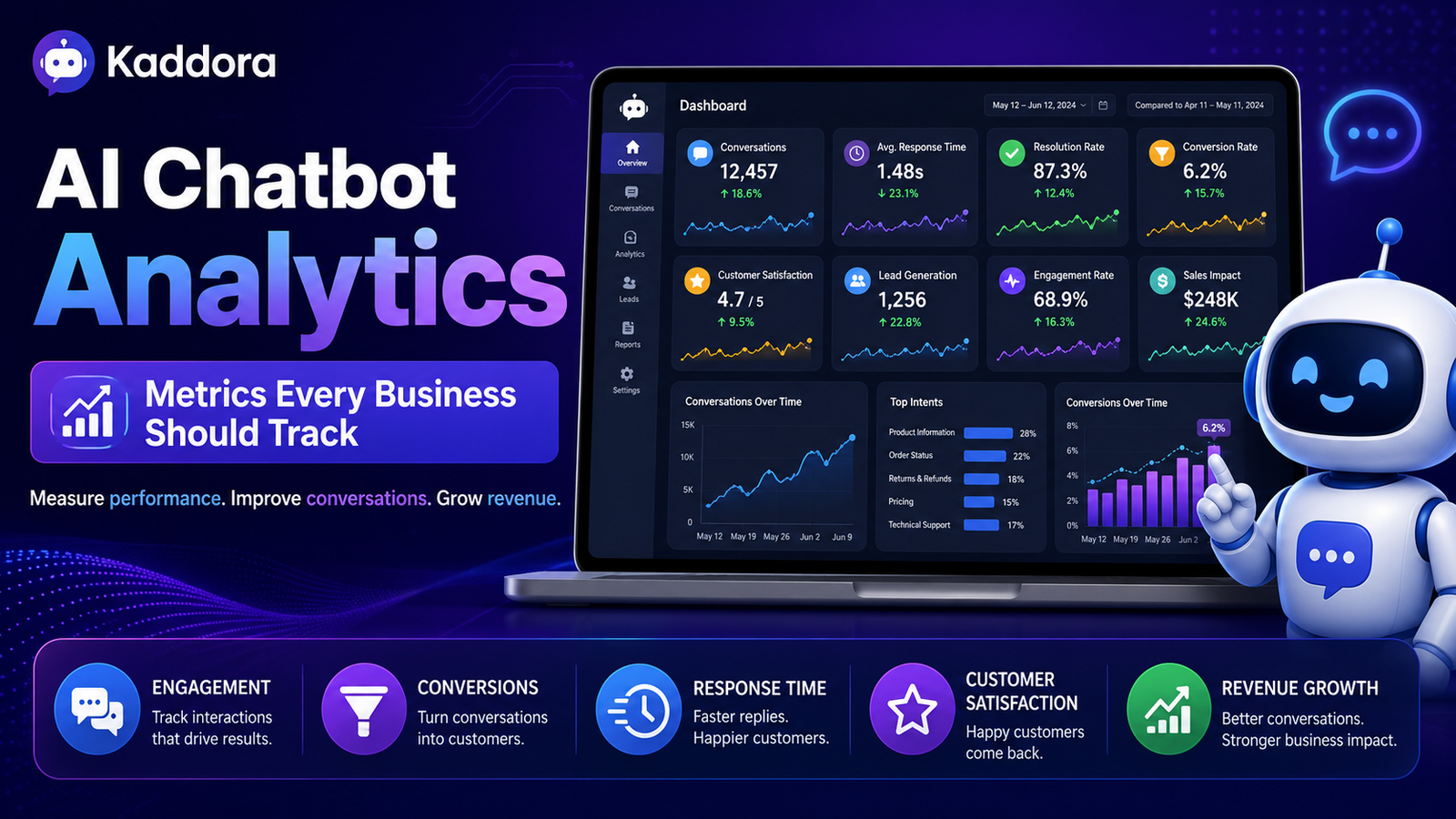
Example Analytics Dashboard
A WooCommerce business might monitor:
Total chatbot conversations
Average response time
Human handoff percentage
Most common customer questions
Lead inquiries
Order tracking requests
Customer satisfaction score
Reviewing these metrics together provides a broader picture of chatbot performance.
Related Articles
Continue exploring AI chatbots:
Beginner Guides
What Is an AI Chatbot for WooCommerce?
Benefits of AI Chatbots for eCommerce
AI Chatbot Trends for eCommerce
AI Chatbot Use Cases for Online Stores
Advanced Guides
AI Chatbot for Lead Generation
AI Chatbot for Product Recommendations
AI Chatbot for Order Tracking
AI Chatbot for Abandoned Cart Recovery
AI Chatbot for Customer Feedback Collection
Reduce Customer Support Costs Using AI Chatbots
How to Add an AI Chatbot to WooCommerce
Frequently Asked Questions
Which chatbot metric is most important?
There is no single most important metric. Businesses should select KPIs based on their goals, such as customer support efficiency, lead generation, or customer satisfaction.
How often should chatbot analytics be reviewed?
Many businesses review chatbot analytics weekly or monthly, depending on conversation volume and business needs.
Can analytics improve chatbot performance?
Yes. Analytics help identify recurring customer questions, knowledge gaps, and opportunities to improve chatbot responses and workflows.
Should businesses track customer satisfaction?
Yes. Customer satisfaction provides valuable insight into how users perceive the chatbot experience and where improvements may be needed.
Can WooCommerce stores benefit from chatbot analytics?
Yes. WooCommerce businesses can use chatbot analytics to better understand customer behavior, support requests, shopping assistance interactions, and overall chatbot usage.
Final Thoughts
AI chatbot analytics are essential for understanding how well your chatbot supports customers and contributes to your business goals.
By tracking meaningful metrics, reviewing customer interactions, and continuously refining chatbot responses, businesses can create more helpful and efficient conversational experiences over time.
If you're planning to implement conversational AI in your WooCommerce store, the Kaddora AI Chatbot Plugin is being developed with analytics capabilities designed to help merchants monitor chatbot performance, understand customer interactions, and make informed improvements.
Comments (0)