
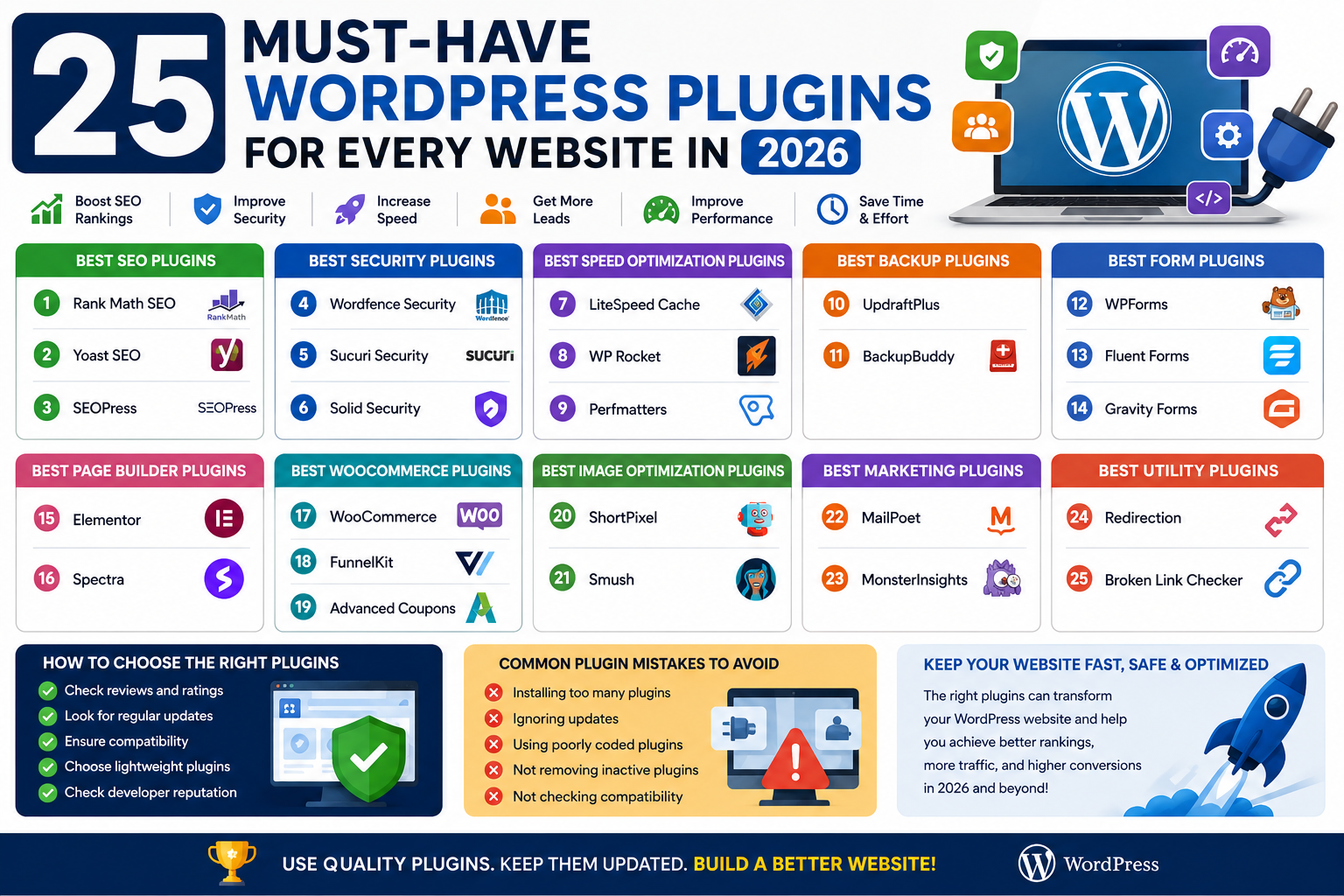
25 Must-Have WordPress Plugins for Every Website in 2026
Introduction
WordPress powers millions of websites worldwide, but its true strength comes from plugins. Whether you run a blog, business website, portfolio, membership site, or WooCommerce store, the right plugins can improve security, SEO, speed, lead generation, and overall website performance.
With thousands of WordPress plugins available, choosing the best ones can be overwhelming. This guide highlights 25 must-have WordPress plugins every website owner should consider in 2026.
Why WordPress Plugins Matter
Plugins allow you to extend your website's functionality without coding.
Benefits include:
Improved security
Faster website speed
Enhanced user experience
Lead generation
E-commerce functionality
Backup protection
Best SEO Plugins
1. Rank Math SEO
Advanced SEO optimization, schema markup, XML sitemaps, and keyword tracking.
2. Yoast SEO
One of the most trusted SEO plugins for content optimization and readability analysis.
3. SEOPress
A powerful SEO plugin with advanced features and excellent performance.
Best Security Plugins
4. Wordfence Security
Provides firewall protection, malware scanning, and login security.
5. Sucuri Security
Offers website monitoring, malware detection, and security hardening.
6. Solid Security
Protects websites from hackers, brute-force attacks, and vulnerabilities.
Best Speed Optimization Plugins
7. LiteSpeed Cache
One of the fastest caching solutions available for WordPress websites.
8. WP Rocket
Premium caching plugin designed to improve loading speed and Core Web Vitals.
9. Perfmatters
Helps remove unnecessary WordPress features and improve performance.
Best Backup Plugins
10. UpdraftPlus
Automatic backups and easy website restoration.
11. BackupBuddy
Comprehensive backup and migration solution.
Best Form Plugins
12. WPForms
Beginner-friendly drag-and-drop form builder.
13. Fluent Forms
Fast and lightweight form builder for businesses.
14. Gravity Forms
Advanced form solution with powerful integrations.
Best Page Builder Plugins
15. Elementor
The most popular drag-and-drop page builder for WordPress.
16. Spectra
Enhances the Gutenberg editor with advanced design blocks.
Best WooCommerce Plugins
17. WooCommerce
The foundation for creating online stores with WordPress.
18. FunnelKit
Helps increase conversions with sales funnels and checkout optimization.
19. Advanced Coupons
Improves coupon management and promotional campaigns.
Best Image Optimization Plugins
20. ShortPixel
Compresses images while maintaining quality.
21. Smush
Automatically optimizes website images.
Best Marketing Plugins
22. MailPoet
Email marketing directly inside WordPress.
23. MonsterInsights
Easy Google Analytics integration and reporting.
Best Utility Plugins
24. Redirection
Manage redirects and fix broken links.
25. Broken Link Checker
Detects and fixes broken links across your website.
How to Choose the Right Plugins
Before installing a plugin, consider:
Update frequency
User reviews
Compatibility
Performance impact
Developer reputation
Avoid installing unnecessary plugins that can slow down your website.
Common Plugin Mistakes
Many website owners:
Install too many plugins
Ignore updates
Use poorly coded plugins
Forget to remove inactive plugins
Regular maintenance is essential for website performance and security.
Conclusion
The right WordPress plugins can transform your website by improving SEO, security, speed, marketing, and user experience. Whether you're running a personal blog or a large eCommerce store, these 25 must-have plugins can help you build a faster, safer, and more successful website in 2026.
Choose plugins carefully, keep them updated, and focus on quality over quantity for the best results.
FAQ
How many plugins should a WordPress website have?
There is no fixed number. Only install plugins that serve a specific purpose.
Can too many plugins slow down WordPress?
Yes. Poorly coded or unnecessary plugins can affect performance.
What are the most important WordPress plugins?
SEO, security, caching, backup, and contact form plugins are essential.
Are premium plugins worth it?
Premium plugins often provide better support, advanced features, and regular updates.
How often should plugins be updated?
Update plugins whenever new versions are released to maintain security and compatibility.
Comments (0)